


The Connected Home: The Complete Guide

The average American household now runs 22 connected devices [1]. Twenty-two. That's not just phones and laptops anymore. It's thermostats that learn your schedule, cameras watching your porch, light bulbs that respond to your voice, and door locks you can control from a different continent. The connected home isn't some future concept. It's already here. And if you're wondering how does smart home setup guide work, the honest answer is simpler than the tech industry would have you believe.
At its core, a home automation setup follows a logical sequence. You pick a central brain (your ecosystem), make sure your Wi-Fi can actually handle the load, add devices in a sensible order, then tie everything together with automations. That's really it. The complexity people stress about? It usually comes from skipping steps or buying devices before they have a plan.
But there's a conversation most smart home guides skip entirely. What happens to your body when you fill your living space with dozens of wireless transmitters? Every smart plug, every connected speaker, every mesh router node is broadcasting electromagnetic radiation. It's low-power, sure. But it adds up. That's worth thinking about before you go all in.
I've spent the last two years building and rebuilding my own connected home, making plenty of expensive mistakes along the way. This guide is the resource I wish I'd had from the start. We'll cover everything from choosing the right platform to hardening your network security, with practical advice on managing EMF exposure that most tech blogs completely ignore.
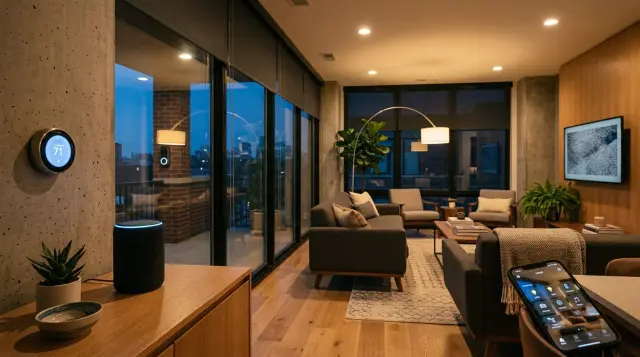
The best smart home is one that disappears into the background. It makes your life easier without making you think about it, keeps you secure without being paranoid, and adds technology without compromising your health.
How Does a Smart Home Actually Work Behind the Scenes?
A smart home works through three layers: devices, a communication protocol, and a central controller. The devices are the physical things you interact with, like a Nest thermostat or a Ring doorbell. The protocol is the language they speak, whether that's Wi-Fi, Zigbee, Z-Wave, or the newer Thread standard. The controller is your hub or app that ties everything together and lets you create automations.
Think of it like a restaurant. The devices are your kitchen appliances. The protocol is the language the wait staff uses to communicate orders. The controller is the head chef coordinating the whole operation. When you say "Hey Google, turn off the living room lights," your voice hits a smart speaker, gets processed in the cloud, and sends a command back to the specific light through whatever protocol it uses. All in about a second.
The big shift in recent years has been the Matter protocol, launched by the Connectivity Standards Alliance in October 2022. Before Matter, buying a smart bulb meant checking whether it worked with your specific ecosystem. Now, a Matter-certified device works across Apple Home, Google Home, and Amazon Alexa. It's not perfect yet, but it's eliminating the biggest headache beginners face: compatibility. If you want to understand the artificial intelligence driving these systems, our guide on How AI Works: A Clear Guide breaks it down without the jargon.
Quick Q&A
Q: Do all smart home devices need Wi-Fi to work?
A: No. Many devices use Zigbee, Z-Wave, or Thread protocols that communicate through a dedicated hub, reducing Wi-Fi congestion and often working even during internet outages.
One thing that surprised me: local processing is becoming a real option. Companies like Home Assistant and Apple (with their HomeKit architecture) can process commands locally, meaning your data doesn't always leave your house. That matters for both privacy and speed. A locally processed command can execute in milliseconds rather than waiting for a round trip to a cloud server.
Which Smart Home Ecosystem Should You Choose in 2025?
This is the first real decision you'll make, and it shapes everything else. The three dominant ecosystems are Apple Home, Google Home, and Amazon Alexa. Each has genuine strengths and genuine weaknesses. The right choice depends on what devices you already own and what you care about most.
Apple Home is the privacy champion. According to Apple's 2024 platform security guide, HomeKit data is end-to-end encrypted, and device communication happens locally when possible. The downside? Fewer compatible devices (though Matter is closing this gap) and higher price points. If your household is all iPhones and iPads, Apple Home makes a lot of sense. If you're mixed, it can get frustrating fast.
Google Home shines with machine intelligence. Google's AI can learn your routines and suggest automations you haven't thought of. Their Nest hardware is excellent, and the ecosystem supports the widest range of voice commands. Amazon Alexa wins on sheer device count and affordability. With over 300 million Alexa-enabled devices sold as of 2024, according to Amazon's own reporting, it has the largest third-party device ecosystem. But both Google and Amazon monetize user data in ways Apple doesn't. That trade-off is real.
My honest recommendation for most beginners? Pick the ecosystem that matches your phone. If you use Android, go Google or Alexa. iPhone users should seriously consider Apple Home. And don't panic about locking yourself in. Matter is specifically designed to free you from single-ecosystem dependency, and it's working. For a deeper look at how the AI behind these platforms processes your commands, check out How AI Thinks: A Clear Guide.
What's the Right Order to Set Up Smart Home Devices?
This is where most people go wrong. They buy a smart speaker, then a few random bulbs, then a thermostat on sale, and end up with a disconnected mess. Understanding how does smart home setup guide work means following a phased approach. Phase one is always your network. Phase two is security. Phase three is everything else.
Phase 1: Fix your Wi-Fi first. I can't stress this enough. A house full of smart devices on a cheap, single-point router from 2019 is a recipe for frustration. You need a mesh Wi-Fi system, something like Eero Pro 6E, Google Nest WiFi Pro, or TP-Link Deco XE75. Aim for at least 200 Mbps download speed and full coverage in every room. Wi-Fi 6E routers operate across the 2.4 GHz, 5 GHz, and 6 GHz bands, giving your smart devices dedicated bandwidth so they don't compete with your Netflix stream [2].
Phase 2: Security devices. Video doorbells, smart locks, and cameras should come second because they provide immediate, tangible value. A friend of mine set up a Ubiquiti G4 Doorbell and caught a package thief within the first week. That kind of instant payoff keeps you motivated to build out the rest. Smart locks like the Yale Assure Lock 2 with Matter support also mean you'll never hide a spare key under the mat again.
Phase 3: Comfort and automation. This is where the fun starts. Smart thermostats like the Ecobee Premium, automated lighting with Philips Hue or Lutron Caseta, smart plugs for lamps and appliances. Layer these in gradually. Set up one room completely before moving to the next. That way, each automation gets properly tested before you add complexity.
How Do You Actually Connect and Automate Your Devices?
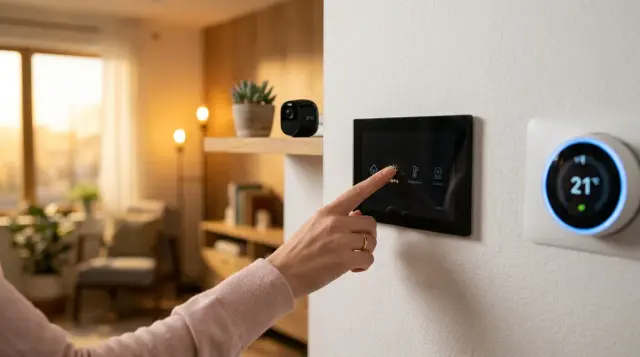
Once you've got your network upgraded and your ecosystem chosen, the actual device connection process is surprisingly straightforward. Most modern devices use a scan-and-pair system. You open your ecosystem's app (Google Home, Apple Home, or Alexa), tap "Add Device," and scan a QR code or hold your phone near the device. The app walks you through naming it and assigning it to a room.
The real magic is in automations, sometimes called "routines" or "scenes." Here's a concrete example from my own setup: every weekday at 6:30 AM, my bedroom lights slowly brighten to 70% warm white, the thermostat bumps up two degrees, and the coffee maker turns on via a smart plug. I didn't build that all at once. I started with just the lights, lived with it for a week, then layered in the thermostat, then the coffee maker. Building automations incrementally means you catch problems early.
If you want to understand the generative AI features now baked into platforms like Google Home, which can interpret natural language requests like "make the house cozy" and translate that into dimming lights and adjusting temperature, our piece on How AI Works: Without the Jargon is a great companion read. These AI-driven automations are getting remarkably good at predicting what you want before you ask.
One practical tip: always name your devices by room and function. "Living Room Lamp" works. "Smart Light 3" doesn't. When you're shouting a voice command while your hands are covered in cooking oil, clarity matters way more than creativity.
What Are the Biggest Smart Home Setup Mistakes to Avoid?
Mistake number one is buying before planning. I've seen people drop $800 at Best Buy on a random assortment of smart devices, get home, and discover half of them don't talk to each other. Before you spend a dollar, write down what you want to automate and why. "I want to save on heating" leads you to a smart thermostat. "I want to stop worrying about whether I locked the door" leads to a smart lock. Start with the problem, not the product.
Mistake number two is ignoring your network capacity. According to Deloitte's 2024 Connectivity and Mobile Trends report, many households experience smart device disconnections because their router can't handle the traffic [1]. If you've got 15 devices on a router rated for 10, things will drop. A mesh system with dedicated IoT bandwidth solves this.
Mistake number three is neglecting firmware updates. Every connected device is a potential entry point for hackers. NIST, the National Institute of Standards and Technology, recommends enabling automatic firmware updates on all IoT devices and changing default passwords immediately upon setup [3]. I know updating firmware sounds boring. But a compromised smart camera pointed at your living room is considerably less boring.
Mistake number four is forgetting about the people who live with you. If your partner can't figure out how to turn on the lights because everything requires an app, your smart home has made life worse, not better. Always maintain a manual override. Physical switches should still work. The best home automation system is one that's invisible when it's working and simple to bypass when it's not.
How Do You Keep a Smart Home Secure?
Security is the chapter people skip, and it's the one that matters most. Every smart device is a tiny computer connected to the internet, and tiny computers get hacked. In 2023, researchers at the Florida Institute for Cybersecurity Research found that many popular IoT devices transmitted data without encryption during initial setup. That's a window of vulnerability most people never think about.
Start with your router. Enable WPA3 encryption if your router supports it. Create a separate network (most mesh systems let you do this) just for your IoT devices, keeping them isolated from the computers and phones where you do banking and email. Use unique, complex passwords for every device account. A password manager like 1Password or Bitwarden makes this manageable.
For a deeper look at protecting your personal data across all your connected technology, our Data Protection: The Complete Guide covers encryption, VPNs, and practical steps most people miss. And if you're also tracking health metrics through wearables alongside your smart home, The Best Health Wearables: The Complete Guide addresses security for those devices too.
Quick Q&A
Q: Should I put smart home devices on a separate Wi-Fi network?
A: Yes. Creating a dedicated IoT network isolates smart devices from your primary devices, so a compromised smart plug can't become a gateway to your laptop or banking apps.
Two-factor authentication is non-negotiable for any account that controls physical access to your home. Your smart lock account, your camera account, your alarm system account. If it opens a door or shows a video feed, put 2FA on it. Period.
What About EMF Exposure from All These Smart Devices?
Here's the conversation most smart home setup guides won't have with you. Every Wi-Fi router, every smart speaker, every Zigbee hub, and every Bluetooth device in your home is emitting electromagnetic radiation. Individually, each device operates well below the limits set by the FCC (a specific absorption rate of 1.6 W/kg averaged over 1 gram of tissue) [4]. But the cumulative effect of 22 or more devices broadcasting simultaneously? That's something researchers are still studying.
The World Health Organization's International Agency for Research on Cancer classified radiofrequency electromagnetic fields as "possibly carcinogenic to humans" (Group 2B) back in 2011 [4]. That's not a definitive danger call, but it's not a clean bill of health either. And the smart homes of 2011 had a fraction of the devices we're installing today. Being mindful of your total EM radiation exposure isn't paranoia. It's reasonable caution.
Practical steps you can take include placing routers and hubs away from bedrooms, using wired Ethernet connections where possible (your smart TV doesn't need Wi-Fi if it's sitting right next to the router), and powering down devices you're not actively using. Some people go further with EMF-shielding clothing, which is where Proteck'd comes in. Their Faraday Protection Collection uses silver-infused fabrics designed to block electromagnetic fields, and their Men's Faraday Tech Wear line looks like normal clothing while providing measurable shielding.
You can learn more about how this shielding technology works and the science behind it on the EMF Protection Benefits page. The point isn't to be afraid of your smart home. It's to be smart about it. You're adding convenience and security to your life. A few simple precautions make sure you're not trading well-being for automation.
How Much Does a Smart Home Cost to Build and Maintain?
Let's talk real numbers. A basic smart home setup, covering a mesh router, a smart speaker, a video doorbell, a smart thermostat, and a few smart bulbs, will run you between $500 and $800 in 2025. That's the entry point for a genuinely functional connected home. You can spend less by starting with just a speaker and a few smart plugs ($100 to $150), but the experience will feel limited.
Monthly costs are where people get surprised. Most ecosystems are free to use at a basic level, but cloud features cost extra. Google Nest Aware runs $8/month for video history. Ring Protect is $4 to $20/month. Apple Home is notably free for its core features, though you'll need an Apple TV or HomePod as a hub. Budget $10 to $25/month for cloud subscriptions if you want camera recording history and advanced features.
The hidden cost nobody talks about? Replacement batteries and bulb lifespan. Smart locks chew through batteries every 6 to 12 months. Smart bulbs rated for 25,000 hours sound great until you realize that's about three years of heavy use. Factor in $50 to $100 per year for maintenance consumables. Not a dealbreaker, but it's real money that adds up.
The savings side is real too. According to the U.S. Department of Energy, a properly programmed smart thermostat can save about 8% on heating and cooling bills annually. On a $2,000/year energy bill, that's $160 back in your pocket. Smart lighting with motion sensors and schedules can cut lighting energy use by 20% to 30%. Your smart home setup guide doesn't just work to make life easier. It can actually pay for itself over time.
- Always upgrade your Wi-Fi network before buying any smart devices. A mesh system with Wi-Fi 6E support is the ideal foundation for 2025.
- Choose your smart home ecosystem based on the phone you already use. Matter protocol compatibility is reducing lock-in, but ecosystem alignment still matters.
- Install devices in phases: network first, security second, comfort and automation third. This prevents compatibility headaches and wasted money.
- Secure every device with unique passwords, WPA3 encryption, a separate IoT network, and two-factor authentication on any account controlling physical access.
- Be mindful of cumulative EMF exposure from dozens of wireless devices. Use wired connections where possible and consider EMF-shielding solutions from Proteck'd for personal protection.
Frequently Asked Questions
A smart home setup guide walks you through a step-by-step process: choosing an ecosystem (Apple, Google, or Amazon), upgrading your Wi-Fi, adding devices in a logical order, and creating automations. Good guides follow a phased approach so you don't end up with incompatible devices. The key is starting with your network and building outward, not grabbing random gadgets on sale.
Not necessarily, but a hub often makes things smoother. If you're using Zigbee or Z-Wave devices, you'll need a hub like Samsung SmartThings or an Aeotec hub to translate their signals. Wi-Fi and Matter devices can connect directly to your router and ecosystem app. A hub becomes more valuable once your device count grows past 10 to 15 items.
Some can, some can't. Devices using Zigbee, Z-Wave, or Thread protocols can communicate locally through a hub even during an internet outage. However, voice assistants and cloud-dependent devices like many cameras will lose functionality. Apple HomeKit and Home Assistant both prioritize local processing, making them more resilient when your connection goes down.
A properly secured smart home is reasonably safe, but no connected system is 100% hack-proof. The biggest vulnerabilities are default passwords, unencrypted connections, and outdated firmware. NIST recommends using WPA3 encryption, creating a separate IoT network, enabling two-factor authentication, and keeping all device firmware updated to minimize risk.
Basic smart home operation is free through Apple Home, Google Home, or Alexa. Monthly costs typically come from cloud subscriptions for camera recording and advanced features, ranging from $4 to $25/month depending on the service. Factor in another $50 to $100 per year for batteries and replacement consumables. Smart thermostats can offset some costs through energy savings.
Yes. Adding wireless smart devices increases the total electromagnetic radiation in your home. Each device emits low-level RF radiation, and the cumulative effect of 20 or more devices is higher than a traditional home. You can reduce exposure by using wired connections where possible, placing routers away from bedrooms, and wearing EMF-shielding clothing from brands like Proteck'd.
Matter is an open-source connectivity standard released in October 2022 by the Connectivity Standards Alliance. It allows smart devices to work across Apple, Google, and Amazon ecosystems without compatibility issues. If a device has the Matter logo, it'll work with any major platform. It uses Thread and Wi-Fi for communication and is quickly becoming the default for new smart home products.
Start with whichever solves a bigger problem for you. A smart thermostat like the Ecobee Premium delivers measurable energy savings of about 8% on heating and cooling, making it the better financial investment. Smart lighting is more visible and fun but provides less direct payoff. If budget allows, do both, but the thermostat earns back its cost faster.
Absolutely, and most people do. The key is making sure all your devices support either your chosen ecosystem or the Matter standard. A Philips Hue bulb, a Yale smart lock, and a Nest thermostat can all coexist in a Google Home setup. Just verify compatibility before purchasing, especially for older devices made before Matter adoption.
A mesh Wi-Fi system with Wi-Fi 6 or 6E support is the gold standard for smart homes in 2025. Systems like Eero Pro 6E or TP-Link Deco XE75 cover large homes without dead zones and handle dozens of simultaneous device connections. Aim for at least 200 Mbps download speed and create a separate network dedicated to your IoT devices for better security and performance.
References
- World Health Organization / IARC – The WHO International Agency for Research on Cancer classified radiofrequency electromagnetic fields as possibly carcinogenic to humans (Group 2B) in 2011, and the FCC limits SAR to 1.6 W/kg averaged over 1 gram of tissu
About the Author
Proteck'd EMF Apparel
Health & EMF Specialists
The Proteck'd team covers EMF protection, silver-fiber apparel, and practical ways to reduce everyday radiation exposure. Every piece Proteck'd ships is designed, tested, and worn by the people who build it.
Get the Free EMF Home Audit Checklist
A room-by-room PDF that walks you through the biggest EMF sources in your house and what to do about each one. No cost, no fluff.
Download the Checklist →✓30-day returns✓Free shipping✓Free returns✓Silver fiber shielding


