


The Connected Home: The Beginner's Guide

Here's a number that caught me off guard: according to Parks Associates, 57% of U.S. broadband households already own at least one smart home device [1]. More than half of us are living in some version of a "connected home," whether we planned it or not. And yet, most people stumble into it. They grab a smart plug here, a voice assistant there, and suddenly they're troubleshooting a mess of incompatible gadgets at 11 p.m. on a Tuesday.
So why does home automation beginners matter as a topic? Because the choices you make in your first few weeks determine whether your smart home actually makes life easier or just hands you a new set of problems. The protocol you pick, the hub you choose, even where you put your router. These aren't things you want to figure out after you've already dropped $400.
I've watched friends rip out entire setups because they started with the wrong ecosystem. One buddy bought a dozen Zigbee bulbs before realizing his voice assistant didn't natively support them without a separate hub. That's exactly the kind of mistake this guide exists to prevent.
We're going to walk through everything: what a smart home actually is, how the major wireless protocols work in plain English, what device to buy first based on your actual goals, and something most guides completely ignore. The electromagnetic radiation question. When you fill a house with wireless devices, you're also filling it with RF signals. That's worth thinking about before you go all in.
Your first smart home purchases create a gravitational pull that shapes every decision after. Getting the foundation right means the difference between a home that works for you and an expensive collection of gadgets that fight each other.
- Start with your Wi-Fi network: upgrade to a mesh system if your router is more than five years old, and ensure 2.4 GHz is enabled for IoT devices.
- Choose your ecosystem (Alexa, Google Home, or Apple HomeKit) before buying any devices to avoid costly incompatibility issues later.
- Buy your first device based on your specific goal: smart thermostat for savings, smart lighting for convenience, smart lock for security, or a smart plug just to experiment.
- Favor Matter-compatible devices in 2025 and beyond to future-proof your setup across brands and ecosystems.
- Take EMF exposure seriously by using wired connections where possible, scheduling devices to power down overnight, and considering personal RF shielding from Proteck'd.
What Is a Smart Home, and How Is It Different from Home Automation?
People use "smart home" and "home automation" like they mean the same thing. They don't, quite. A smart home is any house with internet-connected devices you can control remotely. Home automation is the layer on top: the rules, routines, and triggers that let devices act on their own without you tapping an app every single time.
Think of it this way. If you use your phone to turn off the living room lights from bed, that's a smart home. If your lights automatically dim at 9 p.m. when your smart lock detects you're home, that's home automation. The automation part is where things get genuinely useful rather than just a fun novelty.
A real example: my neighbor has a simple automation where her porch light turns on at sunset, her thermostat drops two degrees at 10 p.m., and her smart speaker plays a wind-down playlist. She set it up once in the Google Home app and hasn't touched it since. That's the goal. Set it and forget it.
Quick Q&A
Q: Do I need to be technical to set up a smart home?
A: No. Most modern smart home devices use guided app-based setup that walks you through each step in under five minutes per device.
For a deeper look at the devices that actually deliver on their promises, check out our Home Automation Essentials: What Works guide. It cuts through the marketing fluff and focuses on what's proven in real households.
Why Does Home Automation for Beginners Matter So Much?
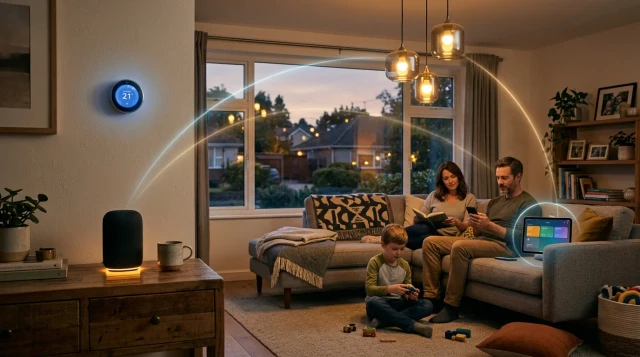
Here's the thing nobody tells you upfront: your first few smart home purchases create a kind of gravitational pull. Once you buy into Apple HomeKit, for example, you'll naturally lean toward HomeKit-compatible devices going forward. Same with Amazon Alexa or Google Home. The industry calls this an ecosystem, and switching ecosystems later is expensive and annoying.
That's exactly why understanding home automation as a beginner matters. A 2023 report from Strategy Analytics estimated the average U.S. smart home owner spends roughly $1,170 on connected devices over the first three years. Pick the wrong foundation, and a big chunk of that money goes to waste when you eventually switch.
Then there's the security angle. Every connected device is a potential entry point for hackers. According to a 2023 study by Netgear, the average American home had 21 connected devices, and the number keeps climbing. Each one needs firmware updates, secure passwords, and thoughtful network configuration. If protecting your digital life in a connected home interests you, our Digital Security: The Complete Guide covers the essentials.
Starting right also means understanding EMF exposure early. More devices means more wireless signals bouncing around your living space around the clock. We'll get deeper into that in a later section, but here's the short version: the EPA recommends a precautionary approach to reducing unnecessary electromagnetic radiation exposure [2]. That's much easier to implement when you plan for it from day one rather than trying to retrofit later.
How Do Smart Home Protocols Actually Work?
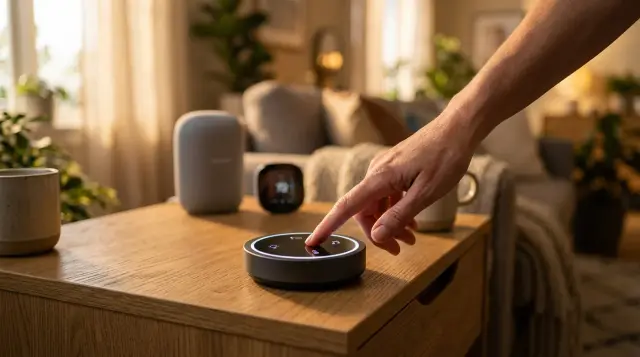
Protocols are the languages your smart devices use to talk to each other. Pick the wrong one, and your shiny new sensor can't communicate with your lights. Pick the right one, and everything just clicks. Here are the four you'll actually encounter.
Wi-Fi is the one you already know. Your smart plugs, cameras, and many bulbs connect directly to your router. The upside: no extra hub needed. The downside: every Wi-Fi device competes for bandwidth on the congested 2.4 GHz band, and too many can slow your entire network. Ever had Netflix buffer right after installing six smart bulbs? Now you know why.
Zigbee runs on a low-power mesh network, meaning each device relays signals to the next. Philips Hue bulbs use Zigbee, for instance. It requires a hub (like the Hue Bridge), but it doesn't clog your Wi-Fi. Z-Wave works similarly but operates on the 908 MHz frequency band in North America, which means almost zero interference with your Wi-Fi or Bluetooth devices. Both are solid choices. Z-Wave tends to have better range per hop, while Zigbee supports more devices per network.
Matter is the new kid, launched in late 2022 by the Connectivity Standards Alliance (which includes Apple, Google, Amazon, and Samsung). It's designed to make everything work together regardless of brand. As of 2025, over 3,000 devices carry Matter certification. It uses Thread for low-power connections and Wi-Fi for heavier lifting. If you're starting from scratch today, buying Matter-compatible devices is a smart move because it future-proofs your setup. For a full breakdown of which devices are worth the investment, see our Home Automation Essentials: Ranked and Reviewed.
Do You Actually Need a Smart Home Hub?
Short answer: it depends on which protocol you choose. If you're going all Wi-Fi, you probably don't need a dedicated hub. Your router handles the connections, and your phone app handles the controls. But if you're using Zigbee or Z-Wave devices, you'll need a hub to translate their signals into something your phone and voice assistant can understand.
Popular hub options in 2025 include the Aeotec Smart Home Hub (which replaced Samsung SmartThings hardware), the Hubitat Elevation for power users, and Apple's HomePod mini, which doubles as a Thread border router for Matter devices. Amazon's Echo devices with the built-in Zigbee radio also work as lightweight hubs for basic setups.
My honest recommendation for most beginners: start without a hub. Grab two or three Wi-Fi or Matter-compatible devices, learn how routines and automations work, and then decide if you want to go deeper. Adding a hub later is straightforward. Buying a $150 hub before you know what you actually want? That's how it ends up collecting dust in a closet.
One thing people overlook: hubs add another always-on wireless device to your home. If you're already thinking about reducing RF radiation in your living space, every additional transmitter matters. Our Home Automation: The Complete Guide discusses how to balance connectivity with a healthier home environment.
What Smart Device Should a Beginner Buy First?
This depends entirely on your goal. And honestly, that's where most guides get it wrong. They hand you a generic shopping list instead of asking what problem you're trying to solve. So let's match goals to first purchases.
If your goal is saving money on energy bills: Start with a smart thermostat. Energy Star estimates that certified smart thermostats like the Ecobee Premium or Google Nest Learning Thermostat can cut HVAC costs by 10-23% annually [3]. For a $250 purchase that might save you $200 a year, the math is pretty hard to argue with. Most utility companies even offer rebates.
If your goal is convenience and daily comfort: Smart lighting is the classic starting point. A Philips Hue starter kit with three bulbs and a bridge costs around $70-$100 and lets you automate lights by time, sunrise/sunset, or motion. It sounds small, but never having to fumble for a light switch again genuinely changes how your home feels.
If your goal is security: A smart lock paired with a video doorbell gives you remote access monitoring and visitor alerts. The Yale Assure Lock 2 with Matter support and a Ring or Google Nest doorbell is a popular beginner combo that costs roughly $400 total. Just make sure your Wi-Fi reaches your front door reliably.
If your goal is just to test the waters: Buy a $15 smart plug. Seriously. Plug a lamp or a coffee maker into it, set a schedule, and experience what automation actually feels like before committing to anything bigger. The Meross Wi-Fi Smart Plug is Matter-compatible and costs less than lunch.
How Do You Set Up a Smart Home Step by Step?
Step one is something most people skip, and it's the most important: check your Wi-Fi. Every smart device needs a reliable connection, and most operate on the 2.4 GHz band (not the faster 5 GHz your phone probably prefers). Log into your router and make sure the 2.4 GHz network is enabled and named separately. If your router is older than five years, consider upgrading to a Wi-Fi 6 mesh system like the Eero 6+ or TP-Link Deco. This single upgrade prevents about 80% of the "my smart device won't connect" frustrations.
Step two: pick your voice assistant ecosystem. Amazon Alexa, Google Home, or Apple HomeKit. All three are mature platforms in 2025, but they each have strengths. Alexa has the widest device compatibility. Google Home has the smartest assistant for natural language questions. Apple HomeKit offers the strongest privacy protections, processing most data on-device rather than in the cloud.
Step three: install your first device. Follow the app instructions, connect it to your Wi-Fi, and then immediately do two things. Rename it something natural ("living room lamp" instead of "Smart Plug 7A3F") and set at least one automation. Even something simple like "turn off at midnight." This gets you into the habit of thinking in terms of routines, which is really the entire point of smart home automation for beginners.
Step four: before adding more devices, secure what you have. Change default passwords, enable two-factor authentication on your smart home apps, and consider creating a separate Wi-Fi network just for IoT devices. Our guide on Taking Back Your Online Life: The Complete Guide walks through these security steps in detail.
What About EMF Exposure in a Connected Home?
Here's a conversation nobody else in the smart home space seems willing to have. When you add 10, 20, or 30 wireless devices to your home, you're dramatically increasing the amount of radiofrequency electromagnetic radiation in your living space. Each smart bulb, sensor, plug, and camera is transmitting and receiving signals constantly. That's a lot of RF energy that simply didn't exist in your home five years ago.
The World Health Organization's International Agency for Research on Cancer (IARC) classified radiofrequency electromagnetic fields as "possibly carcinogenic to humans" (Group 2B) back in 2011 [4]. That classification hasn't changed. It doesn't mean your smart thermostat is dangerous, but it does mean the science isn't settled. A house full of always-on wireless transmitters represents a cumulative exposure that previous generations never dealt with.
So what can you do? First, favor wired connections where possible. Ethernet-connected hubs, wired security cameras, and hardwired access points reduce the number of wireless signals bouncing around. Second, turn off devices when they're not needed. Many smart plugs and bulbs can be scheduled to power down overnight, which cuts both energy use and RF emissions while you sleep.
Quick Q&A
Q: Can clothing actually reduce personal EMF exposure from smart home devices?
A: Yes. Silver-fiber fabrics can attenuate RF radiation, and companies like Proteck'd design everyday apparel with built-in shielding that reduces personal exposure without requiring you to unplug your devices.
Third, consider personal EMF protection for the time you spend at home. Proteck'd makes apparel woven with silver-fiber technology that provides a layer of shielding against electromagnetic radiation. Their Men's Faraday Tech Wear and broader Faraday Protection Collection are designed to look and feel like normal clothing while offering measurable RF attenuation. If you want to understand the science behind how this works, their EMF Protection Benefits page breaks it down clearly.
What Are the Most Common Beginner Mistakes to Avoid?
Buying devices before checking compatibility. I can't say this loudly enough. That cool smart lock you saw on TikTok might not work with your voice assistant or your door's deadbolt configuration. Always check the product's compatibility list before you buy. A ten-minute check saves a trip to the return counter.
Ignoring your Wi-Fi network's capacity. A basic router from your ISP might handle five or six smart devices before things start dropping off. If you're planning a serious smart home setup, invest in a mesh Wi-Fi system first. The Eero Pro 6E or Google Nest Wifi Pro both support over 100 connected devices and blanket a typical home with reliable signal.
Overcomplicating your automations. Beginners sometimes create elaborate routines with ten steps and three conditional triggers. Then one device goes offline and the whole chain breaks. Start with simple one-trigger, one-action automations. "When I say goodnight, turn off all lights." Build complexity gradually as you learn how your system behaves.
Neglecting updates and security. Smart devices need firmware updates just like your phone. Outdated firmware is one of the most common attack vectors for IoT breaches. Set a monthly reminder to check for updates across all your devices and apps. And please, never leave a smart device on its factory-default password. Understanding why home automation beginners should prioritize security from day one will save you from serious headaches down the road.
Forgetting about electromagnetic exposure. Most beginner guides treat every device as purely beneficial without mentioning the RF radiation tradeoff. Being a smart consumer of smart home tech means weighing convenience against cumulative wireless exposure and taking reasonable steps to reduce it.
Frequently Asked Questions
Because your earliest decisions lock you into an ecosystem, a protocol, and a security posture that's hard to change later. Choosing the right foundation saves money, prevents device incompatibility, and lets you plan for concerns like EMF exposure from the start. Getting it wrong often means ripping everything out and starting over.
A single Matter-compatible smart plug for around $12 to $15 is the cheapest entry point. It lets you automate any existing appliance, like a lamp or coffee maker, without replacing anything. From there, smart bulbs in the $10 to $15 range are the next affordable step.
Not necessarily. Wi-Fi and Matter-based devices connect directly to your router or a voice assistant like an Echo or HomePod. You only need a dedicated hub if you use Zigbee or Z-Wave devices. Most beginners can skip a hub entirely for their first few devices.
Alexa has the widest third-party device support, making it the easiest for beginners who want maximum options. Google Home excels at natural language control and integration with Google services. Apple HomeKit is best for privacy-focused users since it processes most data locally. All three work well. Choose based on what phone you use and what matters most to you.
Matter is an open smart home standard backed by Apple, Google, Amazon, and Samsung that lets devices from different brands work together. You should care because it eliminates the compatibility headaches that have plagued smart homes for years. With over 3,000 certified devices as of 2025, buying Matter-compatible gear is the safest long-term bet.
Yes. Each wireless smart device emits radiofrequency electromagnetic radiation, and adding dozens of them creates cumulative exposure that didn't exist before. The IARC classifies RF electromagnetic fields as possibly carcinogenic (Group 2B). You can reduce exposure by using wired connections, scheduling devices to power down at night, and wearing RF-shielding apparel like Proteck'd's Faraday collection.
A basic starter setup with a smart speaker, a few smart bulbs, and a smart plug runs about $100 to $150. Adding a smart thermostat brings the total to roughly $350 to $400. Strategy Analytics estimates the average U.S. smart home owner spends about $1,170 over their first three years, though many start much smaller.
Buying devices without checking ecosystem compatibility. A Zigbee sensor won't work with your Google Home unless you have a compatible hub. Always verify that a device works with your chosen voice assistant and protocol before purchasing.
They can be if you don't set them up properly. Each connected device is a potential entry point for hackers, especially devices left on factory-default passwords or with outdated firmware. Creating a separate Wi-Fi network for IoT devices and enabling two-factor authentication on your smart home apps significantly reduces the risk.
Both are low-power mesh networking protocols, but they operate on different frequencies. Zigbee uses the 2.4 GHz band (same as Wi-Fi), while Z-Wave operates on 908 MHz in North America, which gives it less interference and better range per hop. Z-Wave supports fewer devices per network (232 vs. Zigbee's 65,000+), but for a typical home that limit is irrelevant.
References
- U.S. Environmental Protection Agency – The EPA recommends a precautionary approach to reducing unnecessary electromagnetic radiation exposure
- Energy Star (U.S. EPA / DOE) – Energy Star estimates that certified smart thermostats can reduce HVAC energy costs by 10-23% annually
- International Agency for Research on Cancer (IARC), World Health Organization – IARC classified radiofrequency electromagnetic fields as possibly carcinogenic to humans (Group 2B) in 2011
About the Author
Proteck'd EMF Apparel
Health & EMF Specialists
The Proteck'd team covers EMF protection, silver-fiber apparel, and practical ways to reduce everyday radiation exposure. Every piece Proteck'd ships is designed, tested, and worn by the people who build it.
Protect Yourself Today
Proteck'd Faraday and silver fiber apparel is engineered to shield your body from everyday EMF exposure. Built for real life, tested for real results.
Shop EMF Protection →✓30-day returns✓Free shipping✓Free returns✓Silver fiber shielding


