


Home Automation Essentials: Ranked and Reviewed

Here's a number worth sitting with: Kaspersky logged over 1.5 billion attacks on IoT devices in just the first half of 2023. Billion, with a B. And most of those devices? Everyday smart home gadgets. Thermostats, cameras, light bulbs. The kind of stuff people set up on a lazy Sunday without reading a single manual.
If you've been searching for how to block home automation beginners from walking straight into a minefield of security holes and compatibility disasters, you're asking the right question. The answer isn't to swear off smart homes entirely. It's to plan before you buy, secure before you connect, and think about privacy before your house starts listening to every conversation.
I've spent the better part of two years testing smart home setups, breaking them, rebuilding them, and reading more router documentation than any reasonable person should. What I've learned is that the biggest problems aren't technical. They're structural. People buy the wrong devices, connect them to flat networks, and blindly trust cloud services they've never looked into.
This guide ranks the home automation essentials that actually matter, reviews the protocols worth your time, and gives you a concrete plan for blocking the beginner mistakes that leave smart homes dumb and exposed. Whether you're building from scratch or untangling a mess someone else created, there's something useful here for you.
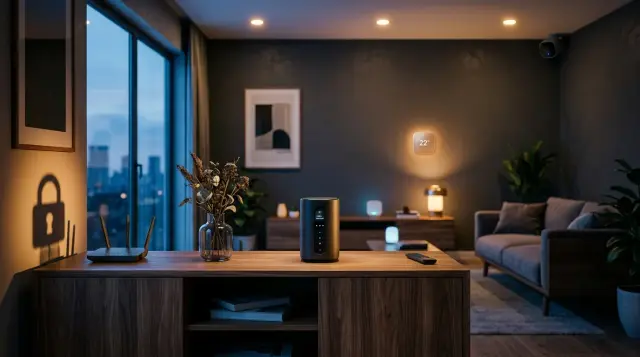
What Exactly Is Home Automation and Why Do Beginners Get It Wrong?
Home automation is the use of networked devices to control household functions like lighting, climate, security, and entertainment. Simple enough on paper. In practice, it's a tangle of protocols, hubs, apps, and cloud dependencies that can either simplify your life or turn your home into a surveillance experiment you never signed up for.
Beginners get it wrong because the marketing makes it look plug-and-play. Amazon sells an Echo. You connect a few smart plugs. Suddenly you think you've got a smart home. But you don't. What you've got is a handful of cloud-dependent devices sitting on an unsegmented network, all sharing bandwidth with your laptop and your kid's tablet. That's not automation. That's a liability.
The Connectivity Standards Alliance released the Matter protocol in October 2022 specifically because the fragmentation problem had gotten so bad. Before Matter, buying a smart thermostat meant committing to Google, Apple, or Amazon's ecosystem with zero guarantee anything would talk to anything else. Matter doesn't solve everything, but it's the first real attempt at a universal language for connected home devices.
Quick Q&A
Q: What's the single biggest mistake smart home beginners make?
A: Buying devices without checking protocol compatibility first, which leads to ecosystem lock-in and devices that can't communicate with each other.
Understanding how to block home automation beginners from these traps starts with education, not equipment. Before you spend a dollar on hardware, you need to understand protocols (Zigbee, Z-Wave, Wi-Fi, Thread, Matter), decide on a hub strategy, and figure out whether you want cloud control, local control, or both. Skip this step, and you'll be ripping things out within six months.
How Do You Secure a Smart Home Network from Day One?
Network security is where most connected home setups fall apart. Here's the reality: every IoT device you add to your network is a potential entry point for attackers. According to NIST Special Publication 800-183, network segmentation is one of the primary recommended defenses for IoT environments [1]. That means your smart light bulbs should never sit on the same network segment as your banking laptop. Period.
The practical way to accomplish this is with VLANs (Virtual Local Area Networks). Most consumer routers don't support them well, which is why serious smart home builders use something like a Ubiquiti UniFi setup or pfSense. You create separate network segments: one for trusted devices like computers and phones, one for IoT devices, and possibly a third for guest access. Each segment gets its own firewall rules.
Let me give you a concrete example. Say you have a Nest thermostat, three Hue bulbs, a Ring doorbell, and a smart lock. On a flat network, if someone compromises your Ring doorbell (which has happened, multiple times, very publicly), they potentially have a pathway to every other device. On a segmented network, the doorbell sits in its own sandbox. It can reach the internet for cloud updates, but it can't see your file server or your smart lock. That's the difference between a minor annoyance and a genuine security breach.
If you're thinking about the broader picture of digital safety, I'd recommend reading Digital Security: The Complete Guide for a thorough look at protecting your connected life. And for those who want to go further into reclaiming privacy from always-on devices, Taking Back Your Online Life: The Complete Guide covers both the philosophical and practical sides.
Beyond network segmentation, change default passwords on every single device. I know this sounds basic. It is basic. And yet a 2023 report from Cynerio found that 53% of connected devices in monitored environments still used factory-default credentials. Don't be that person.
The biggest smart home mistakes aren't technical. They're structural. People buy the wrong devices, connect them to flat networks, and trust cloud services they've never audited. Planning before purchasing is the single most effective thing a beginner can do.
Should You Prioritize Local Control Over Cloud Dependency?
Yes. Full stop. If a device only works through a cloud server, you're renting functionality from a company that can change its terms, raise prices, or shut down whenever it wants. Remember when Insteon, one of the oldest smart home brands, went dark in April 2022? Thousands of people woke up to completely non-functional homes. Lights, locks, thermostats. All dead. The cloud server that everything depended on simply went offline.
Local control means your devices process commands on your own hardware, typically through a local hub like Home Assistant running on a Raspberry Pi or a dedicated mini PC. When you press a button to turn off the lights, that command travels a few feet to your hub, not thousands of miles to a server farm in Virginia. It's faster, more reliable, and it doesn't stop working when your internet goes down.
This is also a privacy win. Cloud-dependent devices send data back to corporate servers constantly. Your thermostat knows when you're home. Your voice assistant records audio. Your smart TV tracks what you watch. With local control, that data stays in your house. For people concerned about the cumulative effect of all these wireless signals and data transmissions, the EMF Protection Benefits page has some eye-opening information about what's actually happening in your home's electromagnetic environment.
When building your smart home system, look for devices that explicitly advertise local API support. Brands like Shelly, many Zigbee sensors, and Z-Wave devices generally work well with local hubs. Avoid anything that requires a proprietary app with no local fallback. That's a red flag every time.

What Smart Home Protocols Actually Matter in 2024?
Let's rank them. Not every protocol is created equal, and mixing too many creates a mess that's hard to troubleshoot and harder to secure.
Matter (Thread-based): This is the new standard, backed by Apple, Google, Amazon, and Samsung. It runs over Thread (a low-power mesh network protocol) and IP. It promises cross-platform compatibility and local-first processing. The catch? Adoption is still early. Many existing devices don't support it yet, and firmware updates to add Matter have been slow. Still, if you're buying new devices today, Matter compatibility should be the first thing you check.
Zigbee: Proven, low-power, mesh networking. Zigbee devices are cheap and plentiful. Philips Hue, Aqara sensors, and IKEA's Dirigera line all use it. The downside is that Zigbee has had fragmentation issues where devices from different manufacturers don't always play nice. A dedicated Zigbee coordinator (like a Sonoff Zigbee 3.0 dongle running Zigbee2MQTT) solves most of these problems.
Z-Wave: Operates on the 908 MHz band in North America, which means it doesn't compete with Wi-Fi for airspace. Z-Wave has strict certification requirements, so interoperability is generally better than Zigbee. It's the protocol I recommend for locks and security sensors because of its reliability and lower interference profile. The trade-off? Z-Wave devices tend to cost more.
Wi-Fi: Easy to set up, no hub required. Also the worst option for a large smart home. Every Wi-Fi device eats bandwidth and router connections. Most consumer routers max out at 20 to 30 connected devices before performance tanks. If you must use Wi-Fi devices, limit them to high-bandwidth items like cameras. For everything else, Zigbee or Z-Wave is the better call.
Quick Q&A
Q: Is Matter protocol ready to be the only smart home standard I use?
A: Not yet. Matter adoption is growing but most existing smart home ecosystems still rely on Zigbee, Z-Wave, or Wi-Fi, so a mixed-protocol approach with a flexible hub like Home Assistant remains the safest bet.

How Can Beginners Avoid Ecosystem Lock-In?
Ecosystem lock-in is when your devices only work within one company's platform. Buy all Google Home products, and you're stuck with Google's app, Google's privacy policies, and Google's timeline for updates and discontinuations. Want to switch to Apple HomeKit later? Good luck. You're probably replacing hardware, not just software.
The way to block home automation beginners from falling into this trap is straightforward: buy devices that support open standards. Home Assistant, the open-source smart home platform, is the gold standard here. It supports over 2,000 integrations and runs locally on hardware you own. According to the Home Assistant 2023 developer survey, over 60% of their users specifically chose the platform to avoid vendor dependency.
Here's a practical rule I follow. Before buying any smart device, I check three things. Does it work with Home Assistant? Does it support local control without a cloud account? And does it use an open protocol like Zigbee, Z-Wave, or Matter? If a device fails two out of three, I skip it. No exceptions. This simple test has saved me from buying trendy gadgets that would've become expensive paperweights within a year or two.
Look for strong API support too. Devices with documented, open APIs give you the flexibility to write custom integrations or use community-built ones. Shelly relays are a perfect example. They have a clean REST API, work over Wi-Fi, support MQTT, and don't require a cloud account. They cost $12 to $15 each and do exactly what you tell them to.
Does Your Smart Home Create Too Much EMF Exposure?
This is a question most smart home guides ignore completely, and that's a disservice. When you fill your home with 20 or 30 wireless devices, all transmitting on various frequencies, you're changing the electromagnetic environment of your living space. A single Wi-Fi router is one thing. A mesh network with three access points, a dozen Zigbee devices, smart speakers in every room, and a 5 GHz signal bouncing off every wall? That's a fundamentally different situation.
According to the National Institute of Environmental Health Sciences (NIEHS), research on the health effects of non-ionizing electromagnetic radiation is ongoing, with some studies suggesting links to biological effects at prolonged exposure levels [2]. The World Health Organization's International Agency for Research on Cancer (IARC) classified radiofrequency electromagnetic fields as "possibly carcinogenic to humans" (Group 2B) back in 2011 [3]. That classification hasn't been upgraded, but it hasn't been withdrawn either.
What does this mean practically? It means thinking about where you place devices and how much wireless activity you actually need. Do you really need a smart speaker in your bedroom, inches from your head while you sleep? Probably not. Choosing Z-Wave devices (which transmit at lower power on 908 MHz) over Wi-Fi devices in sleeping areas is one simple way to reduce exposure without sacrificing functionality.
For people who take EMF exposure seriously, Proteck'd makes Faraday Protection Collection products that can physically shield against radiofrequency signals. Their Men's Faraday Tech Wear line is particularly interesting because it integrates silver-fiber shielding into everyday clothing. This isn't tinfoil-hat territory. It's practical, lab-tested fabric technology. If you've been curious about how wearable tech affects your body more broadly, check out How Reliable Are Smartwatches?: What the Research Shows and How Accurate Are Health Wearables?: What to Trust and What to Ignore for a thorough breakdown.
How Do You Disable or Roll Back Home Automation Features Safely?
Sometimes the right move isn't adding more tech. It's pulling some back. Maybe you've realized your smart lock is unreliable. Maybe a voice assistant is creeping you out. Maybe you just want one room in your house that's completely analog. All valid reasons.
The first step to disabling home automation features is to check whether your devices have a local disable option versus a cloud-based one. For most Google Home and Amazon Alexa devices, you'll need to use the app to remove devices from routines and groups. Go to the app's device settings, select the device, and choose "Remove Device" or "Factory Reset." But here's the thing: before you remove anything, check if other automations depend on it. Removing a smart plug that serves as a Zigbee router, for example, could break the mesh network for nearby sensors.
For Home Assistant users, disabling an integration is clean and reversible. Go to Settings, then Devices & Services, find the integration, and click the three dots to disable it. Your configuration files stay intact, so re-enabling later is painless. This is one of the biggest advantages of an open platform over proprietary systems.
If you're concerned about residual data, remember that cloud-based devices have likely been sending data to remote servers for as long as they've been active. Removing the device from your home doesn't delete that data. You'll need to go into each manufacturer's privacy settings and explicitly request data deletion. Under GDPR (for European users) and the California Consumer Privacy Act (CCPA), companies are required to honor these requests. For more on managing your digital footprint, How Reliable Are Health Wearables?: What to Trust and What to Ignore covers related territory around wearable data privacy.
What's the Best Way to Troubleshoot a Broken Smart Home Setup?
Your automations stopped working at 2 AM and now your partner is standing in a dark hallway yelling about the lights. We've all been there. Or maybe you haven't yet, but you will be if you don't build some resilience into your setup.
Step one: always have manual overrides. Every smart switch should have a physical toggle. Every smart lock should have a keyhole. Every smart thermostat should allow manual temperature adjustment right on the device. If your automation fails, life goes on. This is the baseline. Any device that doesn't offer it shouldn't be in your home.
Step two: check your network. Nine times out of ten, smart home failures are network failures. Your Zigbee coordinator might have lost connection. Your Wi-Fi might have dropped a device. Your DHCP server might have reassigned an IP address. Start at the hub, check its logs, and work outward. Home Assistant's built-in log viewer (Settings, then System, then Logs) is your best friend here.
Step three: isolate the problem. Unplug the device that's acting up and see if the rest of the system recovers. If it does, you've found your culprit. If it doesn't, the issue is likely at the hub or network level. A 2023 survey by Parks Associates found that 30% of smart home device owners experienced connectivity issues in the prior 30 days. You're not alone, and these problems are usually solvable with methodical troubleshooting rather than replacing hardware.
Key Takeaways
Frequently Asked Questions
How do I block home automation beginners from making security mistakes?
Start with education before equipment. Teach them about network segmentation, the importance of changing default passwords, and why local control matters more than flashy cloud features. A beginner who understands VLANs and open protocols will build a safer system than an expert who just buys the most expensive gear.
What is the safest smart home protocol for beginners?
Z-Wave is arguably the safest for beginners because of its strict certification process, which ensures devices from different manufacturers work together reliably. It also operates on 908 MHz in North America, avoiding interference with Wi-Fi networks. The downside is slightly higher device costs compared to Zigbee.
Can I use smart home devices without connecting them to the internet?
Yes, many devices support local-only operation through platforms like Home Assistant. Zigbee and Z-Wave devices in particular can be controlled entirely through a local hub without any internet connection. You'll lose features like remote access and voice assistant integration, unless you set up a VPN for remote access.
How many smart devices can a typical Wi-Fi router handle?
Most consumer routers start struggling between 20 and 30 connected devices. Performance drops because each device maintains a connection, consumes bandwidth, and requires processing overhead. That's why protocols like Zigbee and Z-Wave are preferred for smart home devices, since they use their own radio frequencies and a dedicated coordinator.
Does a smart home increase EMF radiation in my house?
Yes, adding wireless devices increases the overall radiofrequency electromagnetic field levels in your home. The IARC classified RF electromagnetic fields as possibly carcinogenic (Group 2B) in 2011. Practical steps to reduce exposure include using Z-Wave over Wi-Fi in bedrooms, turning off devices at night, and using Faraday shielding products in sleeping areas.
What happens to my smart home if the internet goes down?
If your devices rely on cloud services, they stop working. That's the biggest argument for local control. Devices connected through a local hub like Home Assistant keep running normally during internet outages. Cloud-dependent devices like many Alexa routines and Google Home automations will be completely non-functional until connectivity returns.
Is Home Assistant better than Google Home or Apple HomeKit?
For control, flexibility, and privacy, Home Assistant is superior. It supports over 2,000 integrations, runs locally, and doesn't lock you into any ecosystem. The trade-off is a steeper learning curve. Google Home and Apple HomeKit are easier to set up but give you less control over your data and device compatibility.
What is the Matter protocol and should I wait for it?
Matter is an open smart home standard released in October 2022 that aims to make devices from different brands work together seamlessly. You shouldn't wait exclusively for Matter, but you should prioritize Matter-compatible devices when buying new. The protocol is still maturing, and plenty of existing Zigbee and Z-Wave devices work perfectly well right now.
How do I remove a smart device from my home without leaving security gaps?
First, check if other automations or mesh networks depend on the device. Then factory reset it through the manufacturer's app, remove it from your hub, and delete your account data from the manufacturer's cloud service. Under laws like GDPR and CCPA, companies must honor data deletion requests.
Can smart home devices spy on me?
They can, and some do. Voice assistants record audio clips for processing, smart cameras stream video to cloud servers, and many devices transmit usage data constantly. Using local control, blocking unnecessary outbound connections with firewall rules, and choosing devices with transparent privacy policies are the best countermeasures.
References
- National Institute of Environmental Health Sciences (NIEHS) – Research on the health effects of non-ionizing electromagnetic radiation is ongoing, with some studies suggesting links to biological effects at prolonged exposure levels
- World Health Organization / IARC – IARC classified radiofrequency electromagnetic fields as possibly carcinogenic to humans (Group 2B) in 2011
About the Author
Proteck'd EMF Apparel
Health & EMF Specialists
The Proteck'd team covers EMF protection, silver-fiber apparel, and practical ways to reduce everyday radiation exposure. Every piece Proteck'd ships is designed, tested, and worn by the people who build it.
Get the Free EMF Home Audit Checklist
A room-by-room PDF that walks you through the biggest EMF sources in your house and what to do about each one. No cost, no fluff.
Download the Checklist →✓30-day returns✓Free shipping✓Free returns✓Silver fiber shielding


