


Smart Home: Is It Worth It?

Here's a number that caught me off guard. According to a 2023 Parks Associates survey, 39 percent of U.S. broadband households already own at least one smart home device. That's nearly four in ten homes rocking a smart speaker, a connected thermostat, or an automated doorbell. But owning one gadget and building a full smart home? Completely different animals. If you've been looking for a how to reduce smart home setup guide because the whole thing feels like too much, you're in good company.
The pitch is appealing. Control your lights from the couch. Get a ping when someone shows up at the door. Shave money off your energy bills without lifting a finger. And honestly? Some of those promises hold up. The EPA estimates that ENERGY STAR certified smart thermostats can cut heating and cooling costs by about 8 percent a year [1]. That's real money staying in your wallet.
But here's the part that never makes it into the shiny product ads. Setup can be a disaster. Ecosystems clash. Subscription fees pile on. And every one of those devices is pumping wireless signals through your home around the clock. If you care about your health, your privacy, or just keeping your weekends free from tech troubleshooting, you deserve the full picture before you start buying.
So let's get into it. I'm going to walk you through what a smart home actually costs, what it realistically delivers, how to simplify the setup process, and how to think about the EMF exposure that comes with filling your house with wireless tech. No hype. No scare tactics. Just the honest breakdown.
The best smart home isn't the one with the most devices. It's the one where every device solves a real problem and the people living in it are comfortable, healthy, and not overwhelmed by the technology they invited in.
- Start with one ecosystem (Alexa, Google, or Apple HomeKit) to avoid compatibility issues and reduce setup complexity
- Smart thermostats offer the strongest ROI, with EPA-estimated savings of about 8 percent on heating and cooling costs
- The average smart home has 10 to 15 always-on wireless devices, which creates cumulative RF exposure worth managing
- Invest in a mesh Wi-Fi system before adding devices, as weak networks cause most smart home frustrations
- Use the three device rule: pick three gadgets that solve real problems, live with them for months, then expand gradually
What Does a Smart Home Actually Cost in 2024?
Let's talk money first, because that's usually what tips the decision. A basic smart home starter kit, something like an Amazon Echo, a couple of smart plugs, and a smart thermostat, will run you between $200 and $400. Not terrible. But most people don't stop there. A 2023 Statista report valued the average U.S. smart home at roughly $785 in device spending per household. That number climbs fast once you toss in cameras, smart locks, and lighting systems.
The sneaky costs? Subscriptions. Ring charges $3.99 a month for a single camera's video history, or $12.99 for their Plus plan. Nest Aware runs $8 to $12 monthly. Even Alexa now has a paid tier for certain features. Add it up over a year. A household with two cameras, a doorbell, and a smart assistant subscription can easily spend $150 to $250 on recurring fees alone.
Then there's the energy savings angle. The EPA's ENERGY STAR program estimates 8 percent savings on HVAC costs from a certified smart thermostat [1]. For the average American household spending about $2,000 a year on energy, that's roughly $160 saved. A smart thermostat like the Ecobee Premium costs around $250, so the payback period is about 18 months. Pretty solid.
The real question isn't whether smart homes can save money. They can. It's whether the total cost, devices plus subscriptions plus your time, justifies the convenience. For some people, the math works out beautifully. For others, it's an expensive hobby wearing an efficiency costume.
How Do You Reduce Smart Home Setup Complexity?
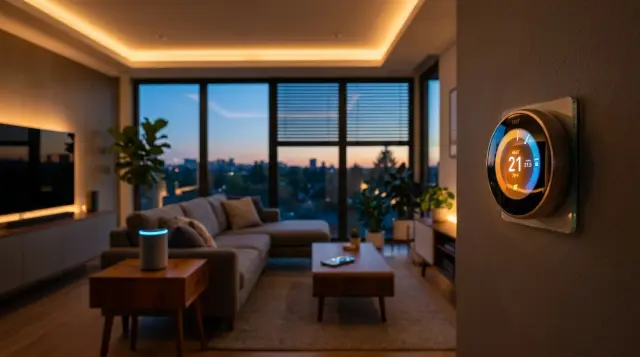
This is where most people slam into a wall. Consumer Reports found that 72 percent of smart home users experienced at least one connectivity issue within their first year. Nearly three out of four people fighting with their own house. So any useful how to reduce smart home setup guide has to tackle this problem directly.
Rule number one: pick one ecosystem and commit. The three big players are Amazon Alexa, Google Home, and Apple HomeKit. Each has strengths. Alexa has the widest device compatibility. Google Home has the best voice recognition, according to a 2022 Loup Ventures test. Apple HomeKit is the most privacy-focused but has the smallest device library. Mixing ecosystems is where chaos starts. Don't do it unless you really know what you're getting into.
Quick Q&A
Q: What's the easiest way to simplify a smart home setup?
A: Choose a single ecosystem (Alexa, Google, or Apple), buy only devices certified for that platform, and add one device category at a time rather than trying to automate everything at once.
Rule number two: start small. I've seen people buy a smart thermostat, four light bulbs, two cameras, a doorbell, a smart lock, and a robot vacuum all in the same week. Then they burn their entire weekend troubleshooting Wi-Fi dead zones and incompatible firmware. Instead, start with one high-impact device. A smart thermostat or a smart speaker. Live with it for a month. Learn the app. Then add the next thing. If you want a more detailed walkthrough, our Smart Home: The Beginner's Guide covers the step-by-step approach.
Rule number three: invest in your Wi-Fi. Most smart home frustrations trace back to a weak network. The average home has 10 to 15 IoT devices now, and a basic ISP-provided router wasn't built for that kind of traffic. A mesh Wi-Fi system from Eero, TP-Link, or Google Nest Wifi costs $150 to $300 and eliminates most connectivity headaches. Think of it as the foundation. You wouldn't build a house on sand.
Is Smart Home Automation Worth It for Energy Savings?
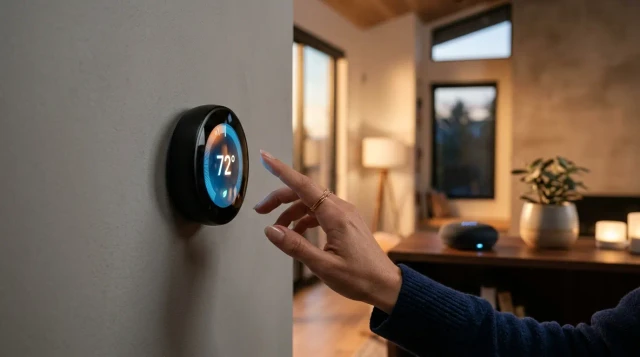
Let's separate marketing from actual data. Smart thermostats? Proven savings. Both the Department of Energy and EPA back this up, with estimates ranging from 8 to 15 percent on heating and cooling costs depending on the model and usage patterns [1]. That's real. Smart lighting? Smaller savings, but still meaningful. Switching to smart LED bulbs and scheduling them to turn off in empty rooms can cut lighting costs by 30 to 50 percent compared to traditional incandescents.
Smart plugs are underrated. Plug one into your TV setup and you can kill phantom power draw, which the Lawrence Berkeley National Laboratory estimates accounts for 5 to 10 percent of residential electricity use. A $15 smart plug paying for itself in a few months? That's a no-brainer.
But automated home systems aren't magic. If you set up complex routines and then override them every day, you save nothing. A friend of mine installed a smart thermostat, then manually adjusted it every single time he walked past the panel. His energy bill didn't budge. The technology only works if you actually let the automation do its thing. For a deeper look at how connected devices perform in real-world conditions, check out The Connected Home: The Honest Guide.
The bottom line on energy: focus on a smart thermostat, smart plugs for phantom loads, and automated lighting schedules, and you can realistically save $200 to $400 a year. Not life-changing money, but it compounds over time. For most households, it makes the investment worthwhile.
How Much EMF Exposure Does a Smart Home Create?
Here's the conversation most smart home guides skip completely. Every wireless device in your house emits radiofrequency (RF) radiation. Your Wi-Fi router. Your smart speaker. Connected cameras, smart bulbs, the robot vacuum. They're all transmitting. One or two devices? The exposure is minimal. But 10 to 15 devices pulsing signals through the day and night? That's a different situation entirely.
The FCC sets exposure limits for wireless devices at a specific absorption rate (SAR) of 1.6 W/kg averaged over 1 gram of tissue [2]. Individual devices fall well within those limits. But here's the thing. Those standards were designed for single-device exposure, not for a home packed with dozens of always-on transmitters. The World Health Organization's International Agency for Research on Cancer (IARC) classified RF electromagnetic fields as "possibly carcinogenic to humans" (Group 2B) back in 2011 [3]. That's not a definitive verdict. But it's not a clean bill of health either.
Quick Q&A
Q: Do smart home devices emit enough EMF to be a health concern?
A: Individual smart home devices emit low-level RF radiation within FCC limits, but the cumulative exposure from 10 to 15 always-on wireless devices in a home is an area that researchers are still studying, and the WHO's IARC considers RF fields "possibly carcinogenic."
Practical steps help. Keep your router out of the bedroom. Use wired Ethernet connections where you can, especially for devices that don't move, like smart TVs and desktop hubs. Set Wi-Fi-connected devices to transmit less frequently if the app allows it. And if you want to learn more about how electromagnetic radiation interacts with your body, the EMF Protection Benefits page is a good starting point.
For people who want to go a step further, shielding products offer a tangible layer of protection. Proteck'd's Faraday Protection Collection includes clothing made with silver-infused fabric designed to block a significant portion of RF radiation. If you work from home surrounded by smart devices all day, something like the Men's Faraday Tech Wear line gives you a wearable way to reduce your cumulative exposure without unplugging everything.
What About Privacy and Security Risks?
Every smart device is a potential entry point for hackers. That sounds dramatic, but it's well documented. In 2019, researchers at Ben-Gurion University of the Negev showed they could compromise smart home devices, including cameras and doorbells, within 30 minutes of unboxing them. The problem wasn't the devices themselves. It was the default passwords and weak encryption many shipped with.
Amazon, Google, and Apple have all tightened their security protocols since then, but the weakest link is usually the person using the device. A 2023 NordVPN study found that 33 percent of smart home device owners never changed the default password on at least one of their devices. That's like installing a top-of-the-line deadbolt and leaving the key under the doormat.
What can you do? Change every default password. Turn on two-factor authentication for your smart home apps. Keep firmware updated. And segment your network. Put IoT devices on a separate Wi-Fi network from your personal computers and phones. Most modern routers support guest networks, which works perfectly for this. Our Digital Privacy: The Complete Guide covers these steps in much more detail.
Privacy is the other concern. Smart speakers are always listening for their wake word, which means audio is being processed, and sometimes stored, by the companies that made them. According to a 2023 Pew Research Center report, 55 percent of Americans are "somewhat" or "very" concerned about how much data smart home devices collect. If privacy matters to you, Apple HomeKit's on-device processing model is the strongest option among the big three ecosystems.
Do Smart Wearables Fit Into a Smart Home Setup?
They do. And this is a connection most people overlook. Your smartwatch or fitness tracker is basically another IoT device on your home network. It syncs with your phone, which syncs with your smart home hub, which talks to your thermostat, your lights, and your speakers. Some people use their Apple Watch to control HomeKit scenes. Others use Fitbit data to trigger bedtime routines.
The integration can be genuinely useful. Picture this: your sleep tracker tells your thermostat to drop the temperature to 67°F when you fall asleep, because research from the National Sleep Foundation suggests 65 to 68°F is optimal for sleep quality. That's smart home automation actually improving your life, not just adding gadgets for the sake of it.
But wearables also add another source of wireless radiation sitting directly on your skin. If you're curious about what these devices actually measure and how accurate they are, I'd recommend reading How Reliable Are Health Wearables?: What to Trust and What to Ignore. And for a broader look at what's available, Smart Wearables: The Complete Guide covers the full range of devices and their trade-offs.
The takeaway: wearables can extend your smart home in meaningful ways, but they also extend your RF exposure. Being intentional about when you wear them, taking them off at night, for example, is a reasonable approach that doesn't mean giving up the benefits.
How Can You Build a Smart Home Without Overdoing It?
This is the heart of any honest how to reduce smart home setup guide. The best smart homes aren't the ones with the most devices. They're the ones where every device actually solves a problem. Before buying anything, ask yourself: what annoys me about my home right now? If you constantly forget to turn off lights, get smart bulbs. If your energy bill is too high, get a smart thermostat. If you worry about package theft, get a smart doorbell. But don't buy a smart coffee maker just because it exists.
I like the "three device rule" for beginners. Pick three devices that address three real pain points. Live with them for two to three months. Once they're fully part of your routine and you're not troubleshooting anymore, consider adding more. This approach dodges the common trap of buying a dozen gadgets, getting frustrated, and stuffing half of them in a drawer.
The Matter protocol is also worth keeping an eye on. Launched by the Connectivity Standards Alliance (which includes Apple, Google, Amazon, and Samsung), Matter is designed to make smart home devices work across ecosystems without compatibility headaches. It started rolling out in late 2022, and by 2024, hundreds of devices support it. This is probably the single biggest development for simplifying smart home setup in years.
And don't forget the human side. The smartest home is one where the people living in it are comfortable, healthy, and not drowning in notifications. If your connected home technology is adding stress instead of reducing it, you've gone too far. Scale back. Keep what works. Ditch what doesn't. That's the most practical advice I can give.
Frequently Asked Questions
For most households, yes, as long as you're strategic about it. A smart thermostat alone can save about 8 percent on heating and cooling costs according to EPA estimates, and smart plugs can wipe out phantom power draw. The key is buying devices that solve real problems rather than loading up on gadgets you won't use.
A basic setup runs $200 to $400 for a smart speaker, thermostat, and a couple of smart plugs. That said, the average U.S. smart home owner spends closer to $785 on devices according to Statista. And recurring subscription costs for cameras and services can tack on $150 to $250 per year.
Amazon Alexa has the widest device compatibility, making it the easiest starting point for most beginners. Google Home offers the best voice recognition, while Apple HomeKit provides the strongest privacy protections. The most important thing is to pick one and stick with it rather than mixing platforms.
Individual smart home devices emit low-level RF radiation within FCC safety limits. However, the cumulative effect of 10 to 15 always-on wireless devices in one home is less studied. The WHO's IARC classified RF electromagnetic fields as possibly carcinogenic (Group 2B) in 2011, so reducing unnecessary exposure is a reasonable precaution.
Keep your router out of the bedroom, use wired Ethernet connections for stationary devices, and turn off devices you aren't using. You can also wear RF-shielding clothing, like Proteck'd's Faraday line, which uses silver-infused fabric to block a portion of electromagnetic radiation reaching your body.
Matter is an open-source connectivity standard launched by the Connectivity Standards Alliance in late 2022. It lets smart home devices from different brands and ecosystems talk to each other without compatibility issues. By 2024, hundreds of devices support it, making it the biggest step yet toward ending cross-platform headaches.
They can be if you skip basic precautions. Research from Ben-Gurion University showed that some devices could be compromised within 30 minutes using default settings. Change all default passwords, turn on two-factor authentication, keep firmware updated, and put IoT devices on a separate Wi-Fi network from your personal devices.
Wearables like Apple Watch and Fitbit can trigger smart home automations, such as adjusting thermostat settings based on sleep data or controlling lights from your wrist. They add convenience but also contribute another source of RF radiation on your body, so it's worth being thoughtful about when you wear them.
Consolidate to one ecosystem and remove devices you rarely use. Invest in a mesh Wi-Fi system to fix connectivity problems, and look for Matter-compatible devices for cross-brand compatibility. The "three device rule" is a good framework: keep only the devices that solve three real daily problems.
Yes, but the savings depend on which devices you use and whether you let the automation actually run. Smart thermostats save an estimated 8 to 15 percent on HVAC costs. Smart plugs eliminate phantom power draw, which accounts for 5 to 10 percent of residential electricity. Smart lighting can cut lighting costs by 30 to 50 percent compared to incandescents.
References
- U.S. Environmental Protection Agency (ENERGY STAR) – ENERGY STAR certified smart thermostats can save approximately 8 percent on heating and cooling costs annually.
- Federal Communications Commission – The FCC limits RF exposure from wireless devices to a specific absorption rate of 1.6 W/kg averaged over 1 gram of tissue.
- International Agency for Research on Cancer (WHO/IARC) – IARC classified radiofrequency electromagnetic fields as possibly carcinogenic to humans (Group 2B) in 2011.
About the Author
Proteck'd EMF Apparel
Health & EMF Specialists
The Proteck'd team covers EMF protection, silver-fiber apparel, and practical ways to reduce everyday radiation exposure. Every piece Proteck'd ships is designed, tested, and worn by the people who build it.
Get the Free EMF Home Audit Checklist
A room-by-room PDF that walks you through the biggest EMF sources in your house and what to do about each one. No cost, no fluff.
Download the Checklist →✓30-day returns✓Free shipping✓Free returns✓Silver fiber shielding


