


Home Automation Essentials: What Works

Here's a stat worth sitting with: the average American household now has over 20 connected devices, according to a 2024 Deloitte connectivity survey. Not just phones and laptops. Thermostats, doorbells, light bulbs, plugs, speakers, cameras, appliances. All of them chattering away on your home network. If you're reading a smart home setup guide for the first time, or if you've already tried and ended up with a drawer full of incompatible gadgets, you're in the right place.
I've tested dozens of smart home products over the years. The gap between marketing promises and real-world performance? Enormous. Those glossy product photos make everything look effortless. Reality is messier. Protocol conflicts, sluggish Wi-Fi, firmware bugs, and the slow realization that your house is now broadcasting radio frequencies around the clock.
This isn't the kind of smart home automation guide that lists products and tells you to buy them. We're going to talk about infrastructure first, because that's where most people fail. We'll cover ecosystem lock-in, the real cost of running a connected home, and something almost nobody mentions: the electromagnetic radiation implications of filling your living space with always-on wireless devices.
Whether you're building from scratch or trying to fix a half-working system, this smart home setup guide will give you the framework to do it right. Let's get into the specifics.
Your Wi-Fi network is the foundation of every smart home system, and it's the thing most people completely ignore. You can buy the fanciest devices on the market, but if your network infrastructure can't support them, nothing will work reliably.
- Choose one ecosystem (Apple HomeKit, Google Home, or Amazon Alexa) and prioritize Matter-compatible devices for cross-platform flexibility.
- Upgrade your Wi-Fi to a mesh system supporting Wi-Fi 6 before adding any smart devices, and segment IoT devices onto a separate network.
- Start with five core device categories (hub, lighting, thermostat, lock, doorbell) for $500 to $800, and build incrementally.
- Account for ongoing costs: cloud subscriptions ($10 to $30/month), standby electricity ($50 to $100/year), and battery replacements.
- Take EMF exposure seriously by placing routers away from bedrooms, using wired connections where possible, and considering RF-shielding apparel for daily wear.
Which Smart Home Ecosystem Should You Actually Choose?
The three dominant ecosystems in 2025 are Apple HomeKit, Google Home, and Amazon Alexa. Each one locks you into a particular voice assistant, app interface, and set of compatible devices. According to Consumer Intelligence Research Partners (CIRP), Amazon controls roughly 70% of the U.S. smart speaker market as of late 2023, meaning Alexa has the largest device compatibility library. But market share doesn't equal quality.
Apple HomeKit is the most restrictive. It's also arguably the most secure. Apple requires manufacturers to meet strict security and encryption standards before they can slap on that HomeKit badge. Google Home sits in the middle, offering broad compatibility and the best natural language processing thanks to Google Assistant's integration with the company's search AI. Amazon Alexa wins on sheer device count and third-party skill library, though its privacy track record has drawn scrutiny from organizations like the Electronic Frontier Foundation.
Here's the real advice: pick one and stick with it. Mixing ecosystems is where the headaches begin. iPhone household? HomeKit with HomePod Mini hubs makes the most sense. Android users will get a smoother experience with Google Home. If budget flexibility and Skill variety are your priority, Alexa is hard to beat.
Quick Q&A
Q: Can Matter-compatible devices work across all three ecosystems?
A: Yes. The Matter protocol, ratified by the Connectivity Standards Alliance in 2022, was specifically designed so a single device can be controlled by Apple HomeKit, Google Home, and Amazon Alexa simultaneously.
The introduction of the Matter standard is genuinely changing this calculus. Matter-compatible devices work across all three platforms, so if you buy a Matter-certified smart plug from Eve or a Matter thermostat from Ecobee, you won't be locked in. My strong recommendation for anyone starting fresh: prioritize Matter-compatible products wherever possible. It's the closest thing to future-proofing your investment.
Why Does Your Wi-Fi Network Matter More Than Your Devices?
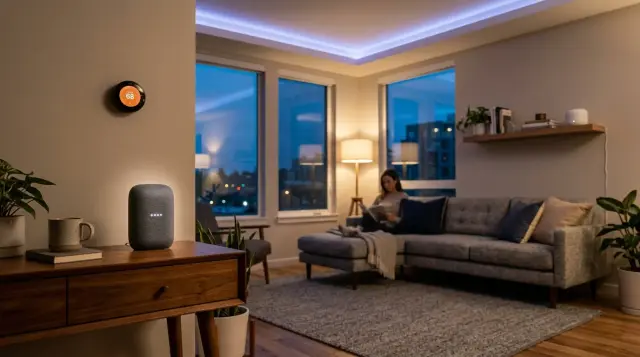
I can't stress this enough. Your Wi-Fi network is the foundation of every smart home system, and it's the thing most people completely ignore. You can buy the fanciest Philips Hue bulbs and a $250 Nest thermostat, but if your router is a five-year-old ISP rental unit tucked in a closet, nothing will work reliably. Period.
The Wi-Fi Alliance's Wi-Fi 6 standard (802.11ax) supports theoretical speeds of 9.6 Gbps. More importantly for smart home setups, it can handle multiple simultaneous device connections using a technology called OFDMA (Orthogonal Frequency-Division Multiple Access). In practical terms, this means your video doorbell won't stutter when someone starts a Zoom call. A mesh network system like Eero Pro 6E or Google Nest Wifi Pro gives you blanket coverage without dead zones, which matters when your smart lock is 60 feet from your router.
Before you install a single connected device, run a speed test at multiple points in your home. You need at least 25 Mbps download speed at each location where you plan to place a device. Anything below that and you'll get delayed responses, dropped connections, and phantom device-offline notifications that make you want to tear the whole system out.
Also, separate your IoT devices onto their own network. Most modern routers support guest networks or VLANs. According to NIST Special Publication 1800-15, isolating IoT devices on a segmented network reduces the attack surface if one device is compromised [1]. This is basic hygiene that takes 10 minutes to configure and dramatically improves your home network security. For a deeper look at securing your connected devices, check out our Protecting Your Connected Home: The Complete Guide.
What Are the Must-Have Smart Home Devices for Beginners?
Start small. Seriously. The biggest mistake I see is people buying 15 devices at once, spending a weekend wrestling with setup, then abandoning the whole project. A smart home automation system should grow incrementally. Here's what actually makes a daily difference, in the order I'd recommend buying them.
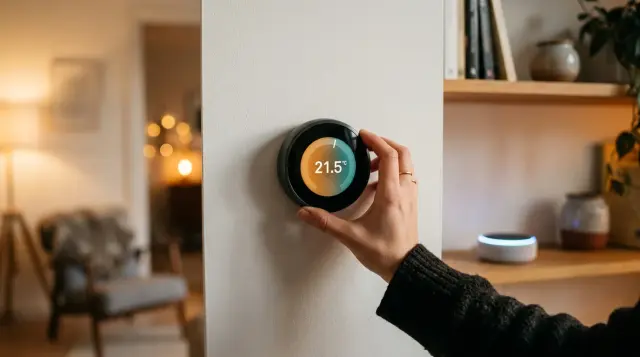
First, a smart speaker or display as your hub. An Amazon Echo Show 8 or Google Nest Hub gives you voice control, visual feedback, and acts as the nerve center of your system. Cost: $80 to $130. Second, smart lighting. Philips Hue or LIFX bulbs let you automate lights based on time, motion, or location. The energy savings alone (LED smart bulbs use about 80% less energy than incandescents, per the U.S. Department of Energy) can offset the cost within a year [2].
Third, a smart thermostat. The Ecobee Premium or Google Nest Learning Thermostat can cut heating and cooling costs by 10% to 23%, according to Energy Star's certified product data [3]. Fourth, a smart lock. August or Yale's Matter-compatible locks let you ditch physical keys, set temporary access codes for guests, and monitor who comes and goes. Fifth, a video doorbell. The Ring Video Doorbell 4 or Google Nest Doorbell give you real-time alerts and two-way audio.
That's five categories. Total investment: roughly $500 to $800 depending on brands and sales. You can build from there, adding smart plugs, robot vacuums, leak sensors, and garage door controllers as your comfort level grows. If you're also exploring wearable connected tech, our Wearable Technology: The Honest Guide covers the practical side of things.
How Do You Actually Install and Configure Smart Home Devices?
The installation process varies by device, but the pattern is almost always the same. Download the manufacturer's app, create an account, plug in or install the device, follow the in-app pairing process. It sounds simple, and for most products it genuinely is. Smart plugs take about 90 seconds. A Nest thermostat takes 20 to 30 minutes if you're comfortable with basic wiring (turn off the breaker first, please).
Smart locks are slightly more involved. The August Wi-Fi Smart Lock, for example, installs over your existing deadbolt in about 10 minutes with just a screwdriver. But you'll still need to calibrate the lock's motor range, set up auto-lock timers, and integrate it with your voice assistant. Smart lighting systems like Philips Hue require a separate Zigbee bridge that plugs into your router via Ethernet, adding one extra step.
The key to a clean setup is doing one device at a time. Install it, test it, create a couple of automations (like "turn on porch light at sunset"), and make sure it responds consistently for a day or two before adding the next device. Rushing through multiple installations in one session is how you end up with ghost devices, duplicate entries, and automation rules that conflict with each other.
For anything involving hardwiring, like smart switches or a smart thermostat replacing an older model, take a photo of your existing wiring before you touch anything. Seriously. That photo will save you a panicked call to an electrician. And always check that your home's wiring includes a neutral wire (the white wire in most U.S. homes), because many smart switches require one. For more on keeping your connected setup safe, our Smart Home Security: The Complete Guide goes into the details.
What About EMF Exposure from All These Connected Devices?
Here's the conversation almost no home automation guide will have with you. When you fill your home with Wi-Fi routers, Bluetooth speakers, Zigbee hubs, and always-on devices, you're significantly increasing the ambient electromagnetic radiation in your living space. Every smart bulb, every wireless camera, every voice assistant is transmitting radio frequency (RF) energy 24 hours a day.
The FCC sets RF exposure limits at a specific absorption rate (SAR) of 1.6 W/kg averaged over 1 gram of tissue [4]. Individual devices fall well below this threshold. But the FCC guidelines were established in 1996, and they're based on acute thermal effects, not the cumulative, low-level, non-thermal exposure you get from 20+ devices running simultaneously in an enclosed space. Researchers at the National Institute of Environmental Health Sciences (NIEHS) continue to study potential biological effects of long-term RF exposure, though definitive conclusions remain elusive.
This doesn't mean you should avoid smart home technology entirely. It means you should be intentional about it. Place your router in a central hallway rather than your bedroom. Use wired Ethernet connections where feasible, especially for devices that don't need to be wireless (like your smart TV or desktop hub). And think about what you're wearing and carrying throughout the day as you move through this RF environment.
Quick Q&A
Q: Can clothing actually shield you from electromagnetic radiation emitted by smart home devices?
A: Yes. Silver-fiber fabrics create a Faraday cage effect that attenuates RF signals, and independent testing shows attenuation of 40 dB or more across common wireless frequencies.
This is actually why I recommend exploring Proteck'd's Faraday Protection Collection. Their apparel uses silver-fiber fabric to attenuate RF exposure, which is particularly relevant when you're spending hours at home surrounded by connected devices. The Men's Faraday Tech Wear line, for example, offers everyday clothing that provides a layer of EMF shielding without looking like you're wearing a science experiment. You can learn more about how this technology works on their EMF Protection Benefits page.
How Do You Ensure Device Compatibility and Avoid Costly Mistakes?
Compatibility is the number one frustration in smart home building. You buy a device that says "works with Alexa" on the box, only to discover it requires a separate hub you don't own, or it only supports 2.4 GHz Wi-Fi and your router is broadcasting on 5 GHz, or it uses a proprietary app that doesn't talk to your automation routines. I've been there. Multiple times.
The Matter protocol, developed by the Connectivity Standards Alliance (formerly the Zigbee Alliance) and backed by Apple, Google, Amazon, and Samsung, is the single best solution to this problem. A Matter-certified device will work with any Matter-compatible controller. No extra bridges, no ecosystem-specific apps, no guessing. As of early 2025, over 2,800 Matter-certified products exist across categories including lighting, sensors, locks, and HVAC controls.
If you're buying older or budget devices that aren't Matter-certified, check three things before purchasing. One: does it work on 2.4 GHz Wi-Fi? (Most IoT devices still require this band.) Two: does it integrate natively with your chosen ecosystem, or does it need IFTTT or a third-party workaround? Three: does the manufacturer have a track record of firmware updates? A device that stops getting updates becomes a security liability within a year or two.
One concrete example. I once bought a set of smart blinds from a small manufacturer that advertised Google Home compatibility. Turns out, "compatibility" meant I could use a voice command to open and close them, but scheduling and automation had to be done through their own app, which was buggy and eventually discontinued. The blinds became manual-only within 18 months. Check reviews, check Reddit threads, and check if the company is still actively supporting the product before you spend your money.
How Much Does a Smart Home Really Cost to Build and Maintain?
Let's talk real numbers. A basic home automation setup covering one voice assistant hub, five smart bulbs, a thermostat, a smart lock, and a video doorbell will cost between $500 and $800 in hardware. A mid-tier system that adds smart plugs, a robot vacuum, window sensors, and a multi-room audio setup pushes into the $1,200 to $2,000 range. A fully loaded home with motorized blinds, smart irrigation, and whole-home audio can easily exceed $5,000.
Monthly costs are often overlooked. Many cameras and doorbells require a cloud storage subscription for video playback. Ring Protect Plus costs $10/month per household. Google Nest Aware runs $8/month for 30 days of event history. Some premium features on smart thermostats and security systems have subscription tiers too. Budget $10 to $30 per month in recurring fees for a typical setup.
Then there's electricity. A 2022 study by the Natural Resources Defense Council (NRDC) found that always-on IoT devices in the average U.S. home collectively consume about $50 to $100 worth of electricity per year, even when they're in standby mode. Smart thermostats and LED automation can offset this, but the net energy picture isn't as rosy as the marketing suggests. Factor in replacement costs too. Smart bulbs last 15,000 to 25,000 hours. Smart locks need battery replacements every 6 to 12 months.
The best approach? Set a budget before you start. A $700 initial investment plus $15/month in subscriptions is a reasonable starting point that gets you meaningful automation without breaking the bank. This is a practical smart home setup guide, after all, not a fantasy wish list.
What Are the Biggest Security Risks in a Connected Home?
Every device you add to your network is a potential entry point for attackers. This isn't hypothetical. In 2023, security researchers at Bitdefender discovered vulnerabilities in multiple popular smart home cameras that allowed unauthorized remote access to live video feeds. Separately, NIST has published extensive guidance (SP 800-183 and SP 1800-15) on the unique cybersecurity challenges posed by IoT devices in residential environments [1].
The most common risks are default passwords that users never change, unencrypted local communications between devices, and outdated firmware. A 2023 report from Kaspersky found that attacks on IoT devices surged by 70% in the first half of the year compared to the same period in 2022. Your smart fridge might not store sensitive data, but if it shares a network with your laptop, it can serve as a stepping stone for more serious intrusions.
Practical security steps that actually work: change default device passwords immediately, enable two-factor authentication on every smart home app, keep firmware updated, and segment your IoT devices onto a separate network or VLAN. If your router supports automatic firmware updates for connected devices, enable that feature. And avoid buying devices from unknown manufacturers on marketplace sites, no matter how cheap they are. The cost of a security breach dwarfs any savings.
For a comprehensive walkthrough on securing every layer of your automated home, we wrote an entire piece on it: Smart Home Security: The Complete Guide. It covers router-level protection, app-level security, and physical security in detail.
Frequently Asked Questions
Amazon Alexa offers the widest device compatibility and the most affordable entry point, making it a solid ecosystem for most beginners. That said, Apple HomeKit provides stronger security and privacy protections if you're already in the Apple ecosystem. Google Home offers the best voice AI. Choose based on the phone you already carry.
A basic smart home costs between $500 and $800 for starter hardware, including a voice assistant hub, smart lighting, a thermostat, a smart lock, and a video doorbell. Monthly subscription costs for cloud storage and premium features typically add $10 to $30. Budget an additional $50 to $100 per year for standby device electricity.
Matter is an open connectivity standard ratified by the Connectivity Standards Alliance in 2022. It allows smart home devices to work across Apple HomeKit, Google Home, and Amazon Alexa without proprietary hubs or bridges. Over 2,800 Matter-certified products were available as of early 2025, and that number is growing fast.
Many modern smart home devices connect directly via Wi-Fi, so a separate hub isn't always necessary. However, devices using Zigbee or Z-Wave protocols do require a hub or bridge. A smart speaker like the Amazon Echo (4th gen) has a built-in Zigbee hub, which can serve double duty and reduce clutter.
No connected system is completely immune to hacking, but proper security practices dramatically reduce the risk. NIST recommends segmenting IoT devices onto a separate network, changing default passwords, enabling two-factor authentication, and keeping firmware updated. Avoiding no-name brands with poor update histories also helps a lot.
Yes. Adding Wi-Fi, Bluetooth, and Zigbee devices increases ambient RF radiation in your home. Individual devices fall well below FCC SAR limits, but the cumulative effect of 20+ always-on devices hasn't been studied as extensively. Practical mitigation includes using wired connections where possible and placing routers away from sleeping areas.
Some can, but most lose significant functionality. Zigbee and Z-Wave devices communicating through a local hub can still execute automations without internet. However, voice assistants, cloud-based cameras, and remote access features all require an active internet connection. Check each device's offline capabilities before purchasing if this matters to you.
You need at least 25 Mbps download speed at every point in your home where a smart device is located. Homes with multiple streaming cameras should target 50 to 100 Mbps. A mesh Wi-Fi system using Wi-Fi 6 is strongly recommended for reliable coverage and simultaneous device handling.
Move your router out of bedrooms, use wired Ethernet connections for stationary devices, and turn off Wi-Fi on devices at night when possible. For personal protection, silver-fiber apparel like Proteck'd's Faraday Collection provides measurable RF attenuation. Reducing the total number of always-on wireless devices also lowers ambient exposure.
For most households, yes. According to Energy Star, certified smart thermostats save an average of 10% to 23% on heating and cooling costs. For a home spending $200/month on energy, that's $240 to $552 in annual savings, which typically pays back the $150 to $250 device cost within the first year.
References
- Federal Communications Commission (FCC) – The FCC limits RF exposure for consumer devices to a specific absorption rate (SAR) of 1.6 W/kg averaged over 1 gram of tissue.
About the Author
Proteck'd EMF Apparel
Health & EMF Specialists
The Proteck'd team covers EMF protection, silver-fiber apparel, and practical ways to reduce everyday radiation exposure. Every piece Proteck'd ships is designed, tested, and worn by the people who build it.
Protect Yourself Today
Proteck'd Faraday and silver fiber apparel is engineered to shield your body from everyday EMF exposure. Built for real life, tested for real results.
Shop EMF Protection →


