


Home Automation: The Honest Guide

Here's a stat that caught me off guard: according to Parks Associates, 42% of US broadband households already own at least one smart home device [1]. Nearly half the country. And yet most of those people still can't get their lights to talk to their thermostat without juggling three different apps. If you've been Googling "how does home automation beginners work," you're asking the right question at the right time.
The honest truth? Home automation isn't complicated. It's just poorly explained. Companies want to sell you their ecosystem, their hub, their subscription. So the guides they publish are basically sales funnels wearing a helpful disguise. I wanted to write something different.
This guide is the one I wish I'd had three years ago when I bought a smart plug, couldn't connect it, and let it collect dust for six months. I'll walk you through what smart home technology actually is, which protocols matter (and which are marketing noise), how to pick your first devices, and something almost nobody talks about: what happens to your body when every room in your house is broadcasting wireless signals.
No affiliate links steering my recommendations. No pressure to buy a $400 hub on day one. Just the real playbook, from someone who's already made the mistakes.
What Is Home Automation and How Does It Actually Work?
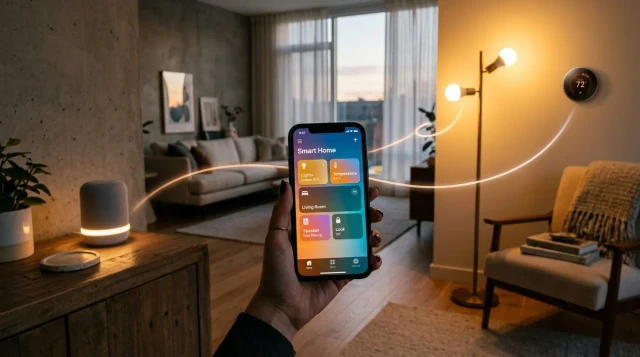
Let's keep this simple. Home automation is when your household devices communicate with each other and respond to rules you set, without you flipping a switch or pressing a button every time. Your porch light turns on at sunset. Your thermostat drops two degrees when you leave for work. Your door locks itself at 11 PM. That's it. That's the whole idea.
Here's how it works: each smart device has a tiny radio inside that connects to your home network or to a dedicated hub. The hub (or a smart speaker acting as one) serves as the brain. An app on your phone lets you create automations, sometimes called "routines" or "scenes," that tell devices what to do and when.
Think of it like a chain. The sensor or trigger (motion, time of day, your GPS location) sends a signal to the hub or cloud server, which then sends a command to the device. When someone asks how does home automation beginners work, the answer really is that simple: trigger, brain, action.
Quick Q&A
Q: Do smart home devices need the internet to work?
A: Some do, some don't. Devices using Zigbee or Z-Wave can communicate locally through a hub without internet, while most WiFi-based devices need a cloud connection for automations and voice control.
A real example: my friend Sarah set up a Google Nest Hub in her kitchen, connected two Philips Hue bulbs and a Nest thermostat. She created one routine: "Hey Google, good night" dims the lights to zero and sets the thermostat to 67°F. Total setup time was about 20 minutes. No electrician, no wiring, no computer science degree. If you want a closer look at which devices are actually worth buying first, check out our Home Automation Essentials: Ranked and Reviewed breakdown.
Which Smart Home Protocol Should Beginners Choose?
This is where most beginners glaze over, and honestly, I don't blame them. Protocols are the languages smart devices use to talk to each other. If two devices speak different protocols, they won't communicate unless something translates. Here's the short version of what matters in 2026.
WiFi is the one you already have. Smart plugs, cameras, and many bulbs use it. The upside is zero extra hardware. The downside? Every WiFi device eats a little bandwidth, and if you pile on 30 of them, your router starts to choke. WiFi devices also tend to use more power, which means they're rarely battery-operated.
Zigbee runs on the 2.4 GHz band but creates its own mesh network, meaning devices relay signals to each other. Philips Hue and many IKEA smart products use Zigbee. It requires a hub (like the Hue Bridge), but it's reliable and low-power. Z-Wave operates on 908 MHz in the US, which avoids WiFi interference entirely [2]. It's popular in security systems and tends to be rock-solid, though slightly more expensive per device.
And then there's Matter. This is the big one. Ratified by the Connectivity Standards Alliance in late 2022, Matter is a universal protocol backed by Apple, Google, Amazon, and Samsung. It runs over WiFi and Thread (a low-power mesh network developed by a group founded in 2014 by ARM, Samsung, and Nest, among others). Matter's promise is straightforward: buy any Matter-certified device and it works with any ecosystem. We're not fully there yet, but it's getting close. If you're starting from scratch, prioritizing Matter-compatible devices is the smartest long-term bet.
A smart home should make your life simpler, not give you a second job managing apps and troubleshooting connections. Start with one ecosystem, two or three devices, and a solid WiFi network. Everything else is optional until you're ready.
How Do You Pick the Right Smart Home Ecosystem?
An ecosystem is basically the team you're drafting for. The three major players are Google Home, Amazon Alexa, and Apple HomeKit. Each has strengths, and switching later is painful, so this decision matters more than which light bulb you buy first.
Google Home is strongest for voice search and integration with Google services. If your family lives in Gmail, Google Calendar, and YouTube, this is the natural fit. The Nest Hub Max acts as both a display and a smart home controller. Amazon Alexa has the widest device compatibility by far. According to Amazon, over 300,000 devices work with Alexa as of 2025. It's the Swiss Army knife. Apple HomeKit is the most privacy-focused option, processing many commands locally on your device, but it supports fewer third-party products and tends to cost more.
My honest take? If you already own an iPhone and a MacBook, HomeKit's privacy advantages are genuinely appealing, especially once your home fills with microphones and cameras. If you want maximum flexibility and don't mind Amazon's data practices, Alexa gives you the most options per dollar. Google sits in the middle. For more on protecting your digital life as you add connected devices, our Digital Security: The Complete Guide covers the essentials.
One thing I'd caution: don't mix ecosystems unless you enjoy troubleshooting at 11 PM. Pick one. Commit. You can always add Matter devices later that bridge the gap.

Do You Actually Need a Smart Home Hub?
Short answer: not always, but probably yes if you want things to work well. A hub is a dedicated device that sits between your smart devices and your router, translating protocols and managing automations locally. The Samsung SmartThings Station, Amazon Echo (4th gen and later), and Apple HomePod Mini all double as hubs.
If you're only running a few WiFi smart plugs and a video doorbell, you can skip the hub. Those devices connect directly to your router and operate through their own apps. But the moment you want Zigbee bulbs, Z-Wave locks, or cross-device automations ("when the door opens, turn on the hallway light"), a hub becomes necessary.
Here's a real example that convinced me. My neighbor ran 14 WiFi smart devices off a basic ISP router. His network was constantly dropping connections. He switched to a SmartThings hub, moved eight of those devices to Zigbee equivalents, and the problems vanished overnight. The hub handled the Zigbee mesh, his router handled the WiFi devices, and nothing competed for bandwidth anymore.
Quick Q&A
Q: Can a smart speaker replace a dedicated smart home hub?
A: Yes, in many cases. The Amazon Echo 4th gen and Apple HomePod Mini have built-in Zigbee or Thread radios, letting them act as hubs for compatible devices without needing a separate piece of hardware.
The bottom line: a hub isn't required to start, but it's what separates a handful of disconnected gadgets from a genuinely automated home. Budget around $30 to $80 for one.
What Should Your First Smart Home Purchase Be?
Everyone's situation is different, but after watching dozens of friends start their smart home setup for beginners, I've noticed a pattern. The people who start with a smart speaker stick with it. The people who start with a random smart plug from Amazon usually give up within a month.
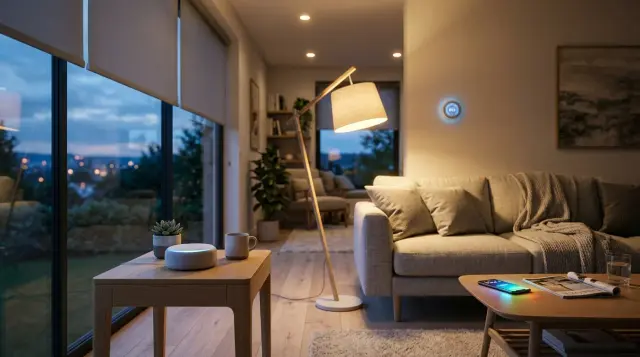
A smart speaker (Google Nest Mini at around $30, or an Echo Dot at $35) gives you a voice-controlled command center immediately. You can ask it questions, set timers, play music, and control any device you add later. It's the foundation. From there, smart bulbs are the second best purchase because the feedback is instant and satisfying. You say "turn off the lights" and the room goes dark. That little dopamine hit keeps you building.
If security is your main concern, start with a video doorbell instead. Ring, Google Nest, and Arlo all make solid options between $100 and $180. A smart lock (like the August WiFi Smart Lock, around $200) is another strong first pick for anyone who's ever been locked out or wants to let a dog walker in remotely.
Whatever you buy first, make sure it matches the ecosystem you chose. An Apple HomeKit user buying a cheap WiFi bulb that only works with Tuya is going to have a bad time. Check compatibility before you check the price tag. For a ranked list of starter devices that actually perform, we've put together a full breakdown in our Home Automation Essentials: Ranked and Reviewed guide.
How Much Does a Basic Smart Home Setup Cost?
Let's talk real numbers, because "affordable" means nothing without context. A minimal but functional smart home automation system can be built for under $150. Here's what that looks like: one Echo Dot ($35), two smart bulbs ($25 for a Wyze 2-pack), and one smart plug ($15). That's $75 and you've got voice-controlled lights plus an automated coffee maker. Add a video doorbell at $100 and you're at $175 total.
A more complete setup runs $300 to $600. That typically includes a hub or smart speaker, several smart bulbs or switches, a thermostat (the Ecobee Enhanced runs about $190, the Google Nest Learning Thermostat is around $250), a smart lock, and maybe a couple of motion sensors. According to a 2024 Consumer Reports analysis, the average American household spent $327 on smart home devices that year.
Where people blow their budget is on cameras. A full indoor/outdoor security camera system can easily cost $500 to $1,000 by itself. My advice? Start with one outdoor camera and one doorbell camera. You can always add more. The goal is to build gradually, not furnish every room on day one.
Also factor in your WiFi. If your router is more than four years old, it's probably not up to the task. A mesh WiFi system like the TP-Link Deco or Google Nest WiFi Pro ($200 to $300 for a 3-pack) will save you endless headaches. Think of it as part of the cost, not an optional upgrade.
Should You Worry About EMF From Smart Home Devices?
This is the part of the home automation conversation that almost nobody has honestly. You're filling your home with wireless transmitters. WiFi routers, Zigbee hubs, Bluetooth speakers, smart plugs pinging the cloud every few seconds. Each one emits radiofrequency electromagnetic fields, commonly called RF-EMF or simply EMF.
The World Health Organization classifies radiofrequency electromagnetic fields as "possibly carcinogenic to humans" (Group 2B), a designation shared with substances like chloroform and lead [3]. That doesn't mean your smart thermostat is dangerous. It means the science isn't settled, and caution is reasonable. The FCC sets exposure limits (a specific absorption rate of 1.6 W/kg), and individual devices fall well below that threshold. But here's the thing: the FCC guidelines were last updated in 1996 and don't account for the cumulative effect of 20+ wireless devices running simultaneously in a home [4].
I'm not trying to scare you away from smart home tech. I use it myself. But I also think it's worth being intentional about how you set things up. Place your router in a central location away from bedrooms. Turn off WiFi on devices that support Zigbee or Z-Wave, which emit less RF. And consider the gear you're wearing and carrying. Proteck'd makes apparel with silver-fiber shielding designed to reduce EMF exposure from the devices you interact with daily. Their Faraday Protection Collection and Men's Faraday Tech Wear are worth a look if you spend a lot of time around wireless home devices. You can learn more about how shielding fabrics work on their EMF Protection Benefits page.
The idea isn't to live in a bunker. It's to enjoy smart home automation while being realistic about the trade-offs. That balance is something we explore more in our piece on How Accurate Are Health Wearables?: What to Trust and What to Ignore, because wearables are another category of devices broadcasting RF right against your skin.
How Do You Keep Your Smart Home Secure From Hackers?
Every connected device is a potential entry point. That's not fearmongering. It's basic network security. In 2023, researchers at the University of Michigan demonstrated they could unlock a smart lock by exploiting a vulnerability in a Z-Wave implementation. These flaws get patched, but only if you update your firmware. Most people never do.
Start with your router. Change the default admin password (something like 40% of households never do this, according to a 2023 Broadband Genie survey). Enable WPA3 encryption if your router supports it. Create a separate guest network for your smart devices so they're isolated from your laptops and phones.
Enable two-factor authentication on every smart home app. Use unique passwords. I know, it's tedious. But a password manager (Bitwarden is free) makes it painless. And be cautious about which devices you buy. Cheap, no-name smart plugs from unknown manufacturers often have weak or nonexistent security practices. Stick with established brands that issue regular firmware updates.
For a deeper look at protecting your network and personal data, we've written a thorough guide at Taking Back Your Online Life: The Complete Guide. It covers everything from VPNs to app permissions and is especially relevant if you're adding microphones and cameras to your living spaces. And if you're also wearing connected tech like smartwatches, our piece on How Reliable Are Smartwatches?: What the Research Shows covers the security and accuracy side of those devices too.
What Are the Most Common Smart Home Mistakes Beginners Make?
I've made most of these myself, so this section comes from experience, not judgment. Mistake number one: buying devices from five different ecosystems and expecting them to work together. They won't. Or they will, sort of, through a janky IFTTT workaround that breaks every other Tuesday.
Mistake number two: ignoring your WiFi infrastructure. People buy a $250 smart thermostat and connect it to a $40 router from 2019. Then they blame the thermostat when it drops offline. Your network is the foundation. Invest there first.
Mistake number three: automating everything on day one. I watched a colleague set up 11 automations in one weekend. Within a week, his lights were going on at random, his thermostat was fighting with a scheduled routine, and his wife was ready to throw the hub in the trash. Start with two or three automations. Live with them for a couple of weeks. Then add more.
Mistake number four: forgetting about privacy. Every voice assistant records snippets of your speech. Every camera stores footage somewhere. Before you set up a device, read the privacy policy. Know where your data goes. Google stores voice recordings by default unless you change the setting. Amazon lets you auto-delete Alexa recordings after 3 or 18 months, but you have to opt in. These details matter, and understanding how does home automation beginners work includes understanding who's listening.
Where Is Smart Home Technology Headed in 2026 and Beyond?
The biggest shift right now is Matter adoption. As of early 2026, over 2,600 devices carry Matter certification, according to the Connectivity Standards Alliance. That number was under 300 two years ago. The protocol is still maturing, and some early adopters have hit bugs, but the direction is clear: the era of ecosystem lock-in is ending.
On-device AI is the other major trend. Google's Gemini integration in Nest devices and Amazon's Alexa LLM upgrades are making voice assistants genuinely smarter. Instead of rigid voice commands, you can have more natural conversations. "Make it cozy in here" might dim the lights, warm the thermostat, and start a lo-fi playlist. According to Statista, global smart home market revenue is projected to hit $231 billion by 2028, driven largely by AI-enhanced devices.
Energy management is getting interesting too. Smart panels from companies like Span and Lumin let you monitor and control individual circuits from your phone. Paired with solar panels and a home battery, a smart home can become a genuinely efficient one. The 2022 Inflation Reduction Act in the US also created tax incentives for smart thermostats and energy-efficient appliances, making the financial case for smart home automation even stronger.
As these technologies mature, the number of wireless devices in a typical home will only grow. That makes it even more worthwhile to think proactively about EMF exposure and digital privacy now, before your home is broadcasting from 30 different radios. Understanding how home automation works for beginners is step one. Building it wisely is step two.
Key Takeaways
Frequently Asked Questions
How does home automation work for beginners with no tech experience?
It's simpler than you'd expect. You buy a smart speaker, connect it to your WiFi, and add devices through the companion app. Most modern smart devices pair in under five minutes with step-by-step in-app instructions. No coding or wiring knowledge needed.
What is the best smart home ecosystem to start with?
It depends on your existing devices. If you're an iPhone household, Apple HomeKit offers the best privacy. Amazon Alexa supports the most third-party devices by a wide margin. Google Home sits in the middle with strong voice AI and broad compatibility. Pick the one that matches the phones and services you already use.
Do I need a hub to start a smart home?
Not necessarily. If you're starting with just WiFi devices like smart plugs and cameras, they connect directly to your router. But a hub becomes important once you want Zigbee or Z-Wave devices, or when you need automations that connect multiple devices together.
How much does it cost to set up a basic smart home?
A minimal setup runs about $75 to $150 for a smart speaker, a couple of bulbs, and a smart plug. A more complete system with a thermostat, lock, and a camera typically costs $300 to $600. WiFi upgrades can add another $200 to $300 if your router is older than four years.
What is the Matter smart home protocol?
Matter is a universal smart home standard ratified by the Connectivity Standards Alliance in 2022. It's backed by Apple, Google, Amazon, and Samsung. The goal is to let any Matter-certified device work with any ecosystem, ending the frustrating lock-in that's plagued smart homes for years.
Is smart home technology safe from hackers?
No connected device is immune to hacking, but basic steps reduce the risk dramatically. Use strong, unique passwords. Enable two-factor authentication. Keep firmware updated. Put smart devices on a separate guest WiFi network. And avoid unknown-brand devices with poor security track records.
Does a smart home increase EMF exposure?
Yes, each wireless device adds to the RF electromagnetic field levels in your home. Individual devices fall well below FCC limits, but the cumulative effect of many simultaneous transmitters isn't well studied. Practical steps like using wired connections where possible and choosing low-power protocols like Zigbee can help reduce overall exposure.
What is the difference between Zigbee and Z-Wave?
Both are low-power mesh protocols that require a hub. Zigbee operates on the 2.4 GHz band (same as WiFi), while Z-Wave uses the 908 MHz band in the US, which avoids WiFi interference. Z-Wave tends to be more reliable in congested wireless environments but costs slightly more per device.
Can I automate my home if I rent instead of own?
Absolutely. Smart plugs, smart bulbs, smart speakers, and wireless cameras all require zero permanent installation. Even smart locks come in renter-friendly versions that replace the interior thumbturn without changing the deadbolt. Just keep your original hardware so you can swap everything back when you move out.
What's the single best first smart home device for a beginner?
A smart speaker like the Amazon Echo Dot or Google Nest Mini. It costs around $30 to $50, gives you voice control immediately, and acts as a hub for devices you add later. It's the one purchase that makes every future purchase more useful.
References
- World Health Organization - IARC – The WHO's International Agency for Research on Cancer classifies radiofrequency electromagnetic fields as possibly carcinogenic to humans (Group 2B)
- Harvard T.H. Chan School of Public Health – FCC radiofrequency exposure guidelines were last comprehensively updated in 1996 and do not account for cumulative exposure from multiple simultaneous wireless devices
About the Author
Proteck'd EMF Apparel
Health & EMF Specialists
The Proteck'd team covers EMF protection, silver-fiber apparel, and practical ways to reduce everyday radiation exposure. Every piece Proteck'd ships is designed, tested, and worn by the people who build it.
Protect Yourself Today
Proteck'd Faraday and silver fiber apparel is engineered to shield your body from everyday EMF exposure. Built for real life, tested for real results.
Shop EMF Protection →✓30-day returns✓Free shipping✓Free returns✓Silver fiber shielding


